Review · Square Golf Home Edition
Square Golf Launch Monitor Review: Is the Home Edition Worth It? What Owners Say
Square Golf launch monitor review: what Square says the Home Edition does, what is in the box, what is free, what it cannot do, and what r/Golfsimulator owners say.
Disclosure: we may earn a commission if you buy through links on this page, at no extra cost to you. As an Amazon Associate we earn from qualifying purchases. It never changes what we recommend.
This article contains affiliate links. If you buy through them, we may earn a commission at no extra cost to you. It does not change what we write, and the limits below are here because they matter to a buyer.
Is the Square Golf launch monitor worth it? Yes, if you want to play and practice indoors in a spare room or a garage, you want chips and putts read too, and you do not want a yearly membership. No, if you want one unit for the range and the backyard, or if you need a long list of club data.
If that sounds like you, the short version is on our Square Golf launch monitor page. The rest of this article is the longer, more careful answer.
Here is how we know what we know. This article is built from Square Golf’s official pages, read on November 8, 2026, and from public posts in Reddit’s r/Golfsimulator. Nobody at CandorPicks has used this monitor, so we do not describe how it performs from experience, and we make no claim about how accurate it is. We quote people who own one, word for word, and we link every post. They are a small sample of posts, not a rating.
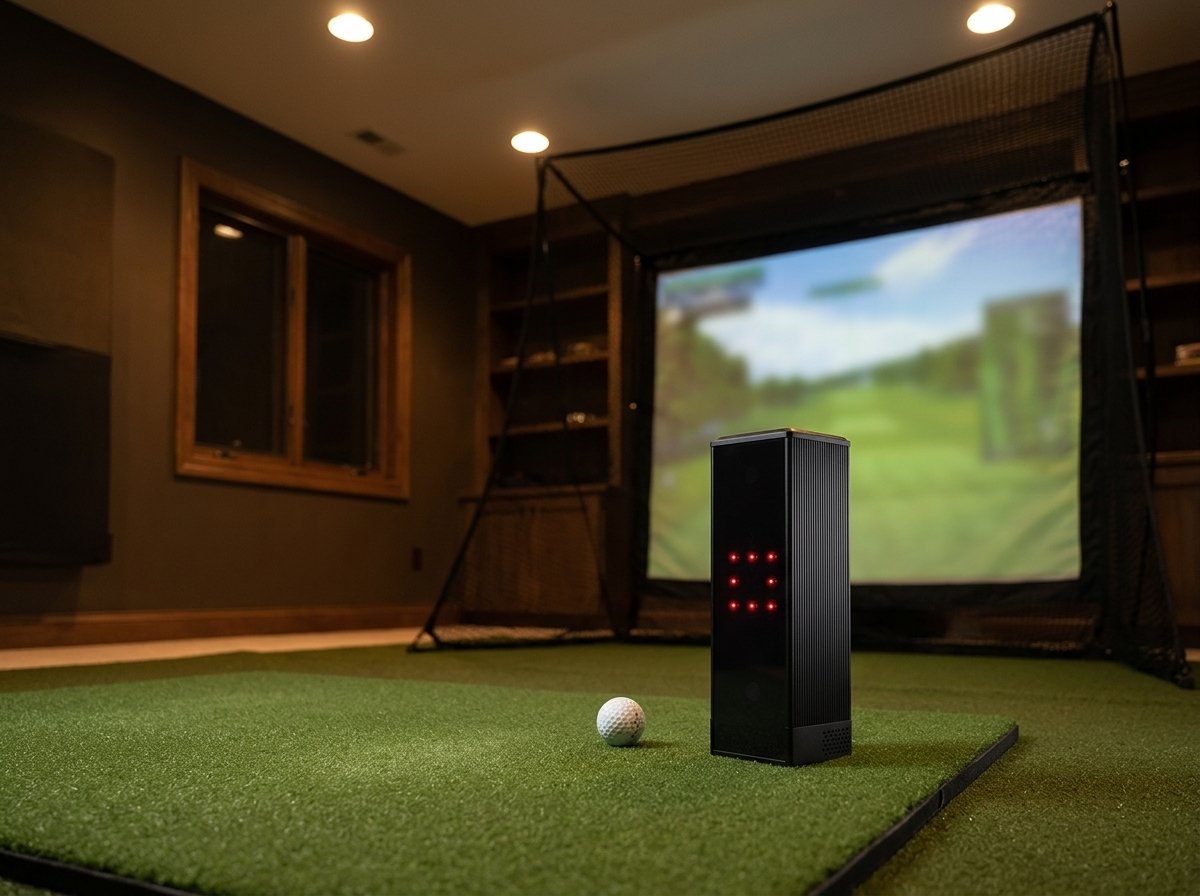
What does Square Golf say the Home Edition does?
All of this comes from Square Golf’s Home Edition page and its home page, read on November 8, 2026:
- A compact launch monitor built for indoor environments, using machine vision technology with a high-speed camera.
- A high-capacity battery, available for 8 hours on a single charge.
- Dedicated marked golf balls for back spin and side spin, and a marker on the club shaft for swing feedback.
- A swing stick for practice and games in a living room, with its path and face measured.
- Bluetooth connection to mobile devices and PCs, with Square’s own software.
- Listed with no subscription fee and 1,000 free credits.
Square’s page shows a specifications heading, but the figures did not load when we read it, so we do not quote a size, a weight or a data list from it.
Is the Square Golf launch monitor any good? What owners say
In a January 2026 r/Golfsimulator thread titled “Square golf monitor, worth it?”, owners mostly said yes. u/TheSaltySenor wrote: “I think it is accurate, simple to set up and use.” (r/Golfsimulator, January 2026). u/EcstaticTemporary119 wrote: “I switched from the R10 and it’s significantly better.” (January 2026).
An owner in Canada, u/massspike, wrote: “It is an amazing value for a launch monitor that you can actually use indoors in a limited space.” (May 2026). They said they had used it every day for six months, linked to an iPad, with no screen or gaming PC.
Not everyone was all in. u/South_Pear4805 said they wish it had a bit more club data, while calling it the best bang for the buck for indoor simulation. And u/tjwagg, an owner of about 7 to 8 months, wrote: “Have had one blatantly horrible misread in the entire time” (January 2026), a 9 iron that went far too long.
Is the Square Golf launch monitor accurate?
We cannot answer that from experience, and Square’s page does not publish an accuracy figure that we could read. Owners in the thread describe it as accurate for indoor play, with rare misreads. One garage owner, u/Coops19, wrote: “Full shots, chipping, putting, all read as I would expect.” (r/Golfsimulator, September 2025). That is a few owners, not a test.
Do you need a subscription for the Square Golf launch monitor?
Square Golf lists the Home Edition with no subscription fee and 1,000 free credits. A dealer’s listing notes that native course play uses credits while practice modes are free. If you want third-party software such as GSPro, that has its own cost and needs a PC. Owners who skip the PC say they connect by Bluetooth to a phone or iPad and cast to a TV or projector.
Can you use the Square Golf Home Edition outdoors?
Plan on indoors only. Square Golf describes the Home Edition as built for indoor environments. One owner in the thread says Square has stated that outdoor use can potentially damage the cameras, and another says it works with a window behind it but cannot take direct light on its face. If you want one unit for the range too, look at the Square Golf Omni or a radar unit instead.
What golf balls work with the Square launch monitor?
Square Golf says its dedicated marked balls give precise back spin and side spin, and 3 come in the box. One owner adds that you need a real golf ball, because the sound of contact tells the device to start processing the shot. Plan to buy more marked balls as they wear.
Buying direct versus a dealer
This came up more than anything else. In an October 2026 r/Golfsimulator thread, u/golfdude1215 wrote: “Just remember, bad customer service.” (October 2026). They said an order from January arrived in June. Others in that thread chose a dealer for support and to avoid surprise duties outside the US. We cannot confirm any single story, but the pattern is worth a minute: check who the seller is and what the return window is before you pay.
Square vs Garmin R10, Mevo Gen2 and MLM2PRO
They are different tools. Our Garmin Approach R10 launch monitor page and our FlightScope Mevo Gen2 launch monitor page cover radar units that sit behind the ball and need more room, which suit the range better. Our Rapsodo MLM2PRO launch monitor page covers a camera unit with its own membership. One garage owner put it this way: radar units cannot do the short shots as well indoors and need more room behind and to the net. We have not tested any of them, so we do not rank their accuracy. Pick by the room you have.
What comes in the box?
From Square Golf’s Home Edition page: the launch monitor, a swing stick, a Li-ion battery, a remote control and 3 Square Golf marking golf balls. Here is what you would likely buy separately:
| In the box | A second purchase |
|---|---|
| Launch monitor | A hitting mat |
| Swing stick | A net or impact screen |
| Li-ion battery | More marked golf balls |
| Remote control | A screen, projector or tablet stand |
| 3 marked golf balls | GSPro and a PC, if you want them |
Amazon shows more than one listing for this monitor, including pre-owned units, and the Square Golf Omni is a different model. Check the model name, that it is new, and who the seller is. The listing to check is here:
Check the Square Golf Home Edition on Amazon
On returns and the warranty: we did not find a return or warranty statement on the Square Golf pages we read, so we do not quote one. On Amazon, the return window is the one shown on the listing for that seller. Keep the receipt.
A few habits owners mention
- Protect the unit. One owner recommends a steel enclosure, and Square sells a protective case, since a ball can bounce back.
- Line it up once. One owner uses an alignment stick along the Square alignment line and keeps the hitting area centered on the net.
- Keep the light behind it. Direct light on its face is the problem owners mention.
The bottom line
The Square Golf Home Edition makes the most sense for a golfer who wants to play and practice indoors in a small room, short game included, without a yearly fee. Owners like its value, its setup and how it reads chips and putts. The catches are real: it is an indoor unit, club data is lighter than some want, and buyers warn about ordering direct. For the short version and the checklist, see the Square Golf launch monitor page.
Your options
Ready to check it?
Affiliate links. We may earn a commission at no extra cost to you.
Last checked: 2026-11-08. Specifications and availability checked against the manufacturer and retailer pages on this date. Prices change often, so the retailer page always wins.