FlightScope Mevo Gen2 launch monitor
Know what every shot really did, at the range and at home, without a yearly fee
The Mevo Gen2 combines 3D Doppler radar with a built-in camera to read your club and ball. It is for golfers building a garage or backyard setup who want data and simulator courses without a subscription, and this page is plain about the space it needs and what owners say it misses.
- No subscription for core data, firmware and fixes, per FlightScope
- 8 E6 Connect courses you own, for iOS and PC
- Up to 6 hours of battery with USB-C charging

Sound familiar?
A garage net tells you nothing about the shot
You hit balls into a net all winter and have no idea if the ball would have curved, ballooned or come up short. The launch monitors you look at either want a yearly membership to unlock the good parts, or cost as much as a used car. So you want one unit that reads real numbers, plays real courses at home and does not send you a bill every year.
“No subs is a big bonus, and I haven't had any glitches.”
- What it costs to leave it unsolved
- You groove the same miss for months because the net hides the flight
- You pay a membership every year just to keep the features you bought
- You buy a monitor without checking the room it needs and find out on day one
The way out
Radar and a camera, 7 to 9 feet behind the ball
FlightScope calls the tracking Fusion Tracking: 3D Doppler radar combined with synchronized image processing from a built-in camera. The unit makes its own Wi-Fi network, so it needs no internet at the range, and it sends full swing, chipping and putting numbers to the free FS Golf app on iOS, Android or PC. For simulator play it works with E6 Connect, Awesome Golf and GSPro.
A 1.1 lb radar and camera launch monitor with 8 owned simulator courses and no yearly fee for its core data.
-
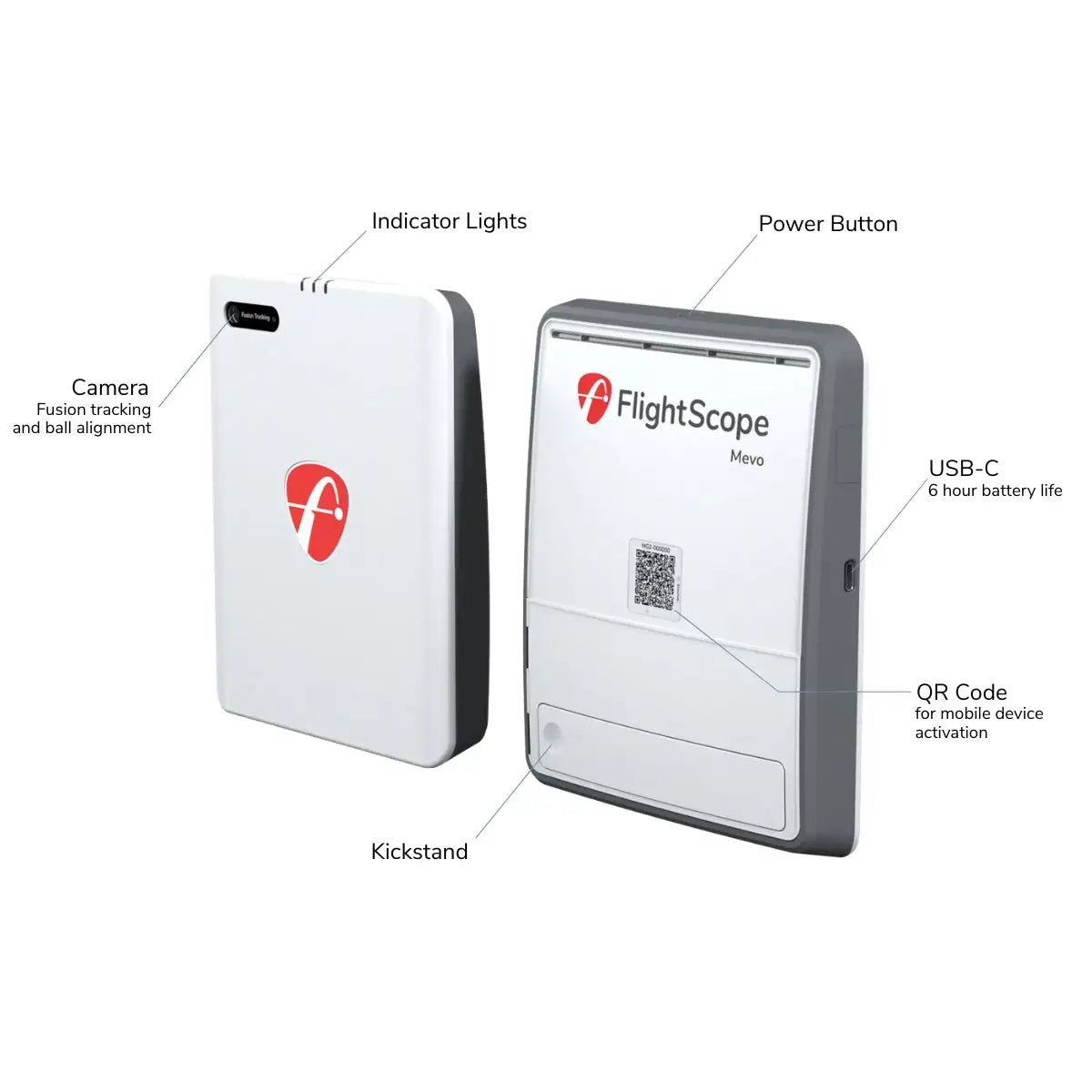
Set it behind the ball
Stand the unit on its kickstand 7 to 9 feet behind the tee, and use the built-in camera in the app to line it up with your target.
-
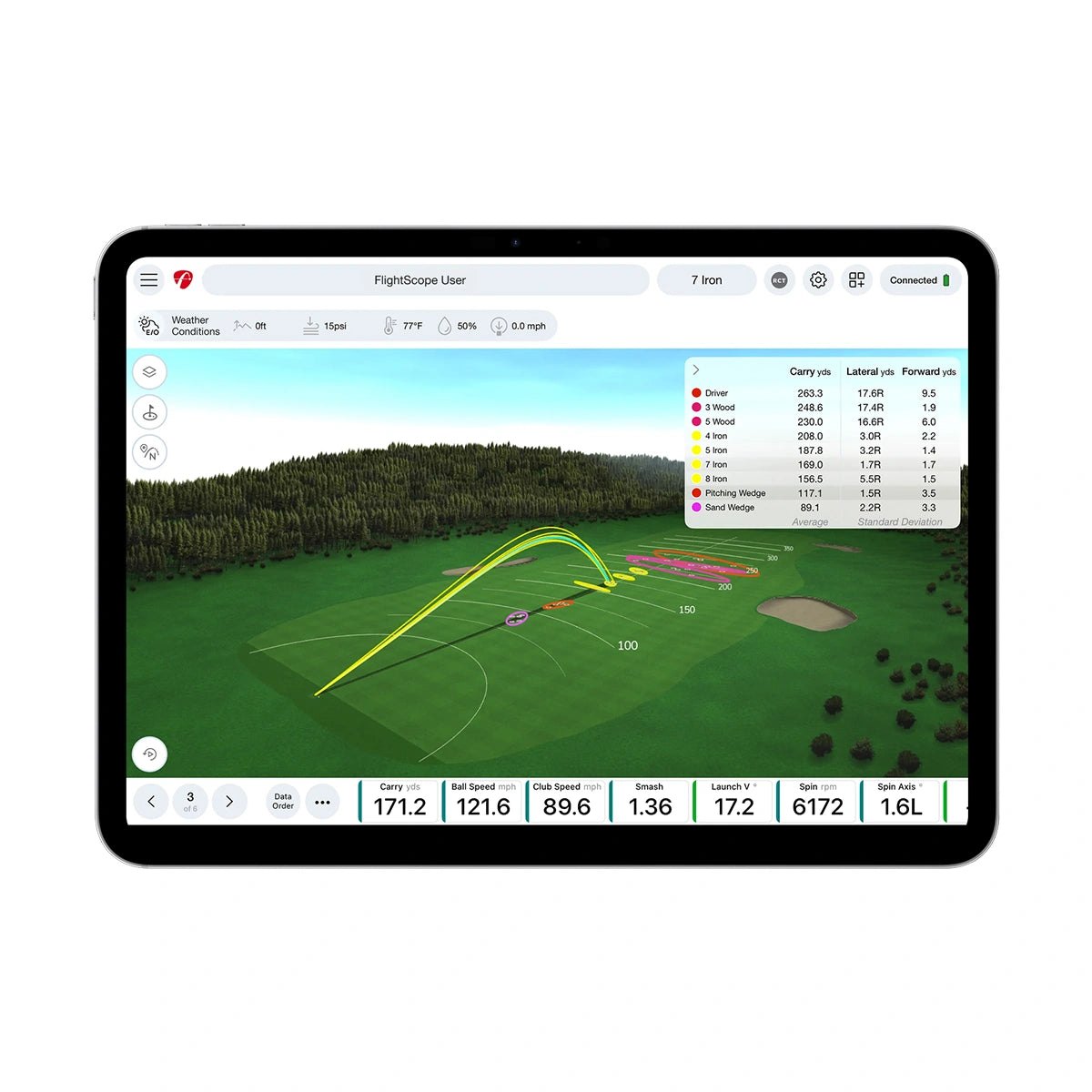
Hit and read your numbers
Read carry, ball speed, club speed, spin and more in the FS Golf app, with your swing video recorded and the data laid over it.
-
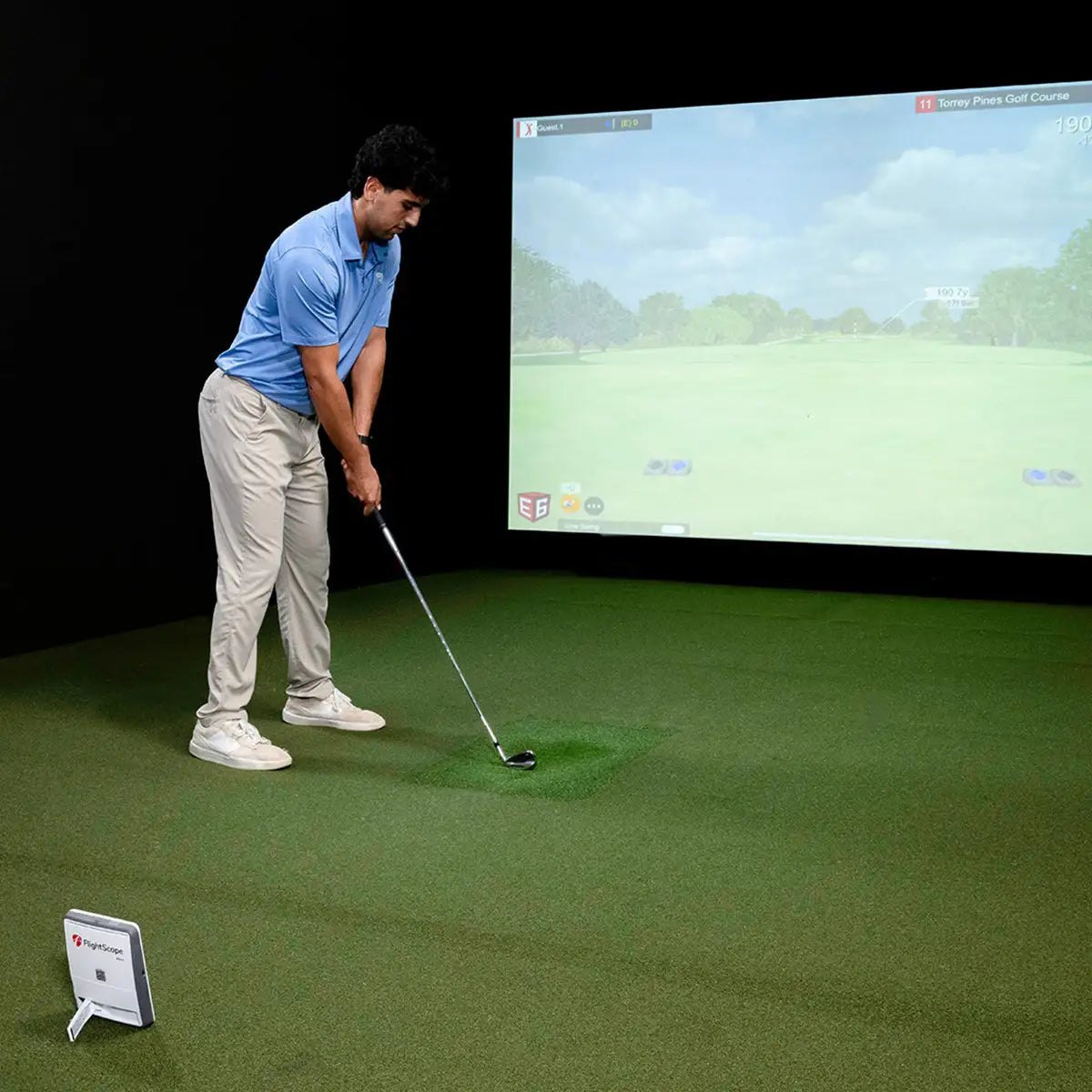
Play a course at home
Open one of the 8 E6 Connect courses included with the unit, or connect it to GSPro or Awesome Golf on a PC.
The Mevo Gen2, up close
Official FlightScope images. Tap any image to enlarge.
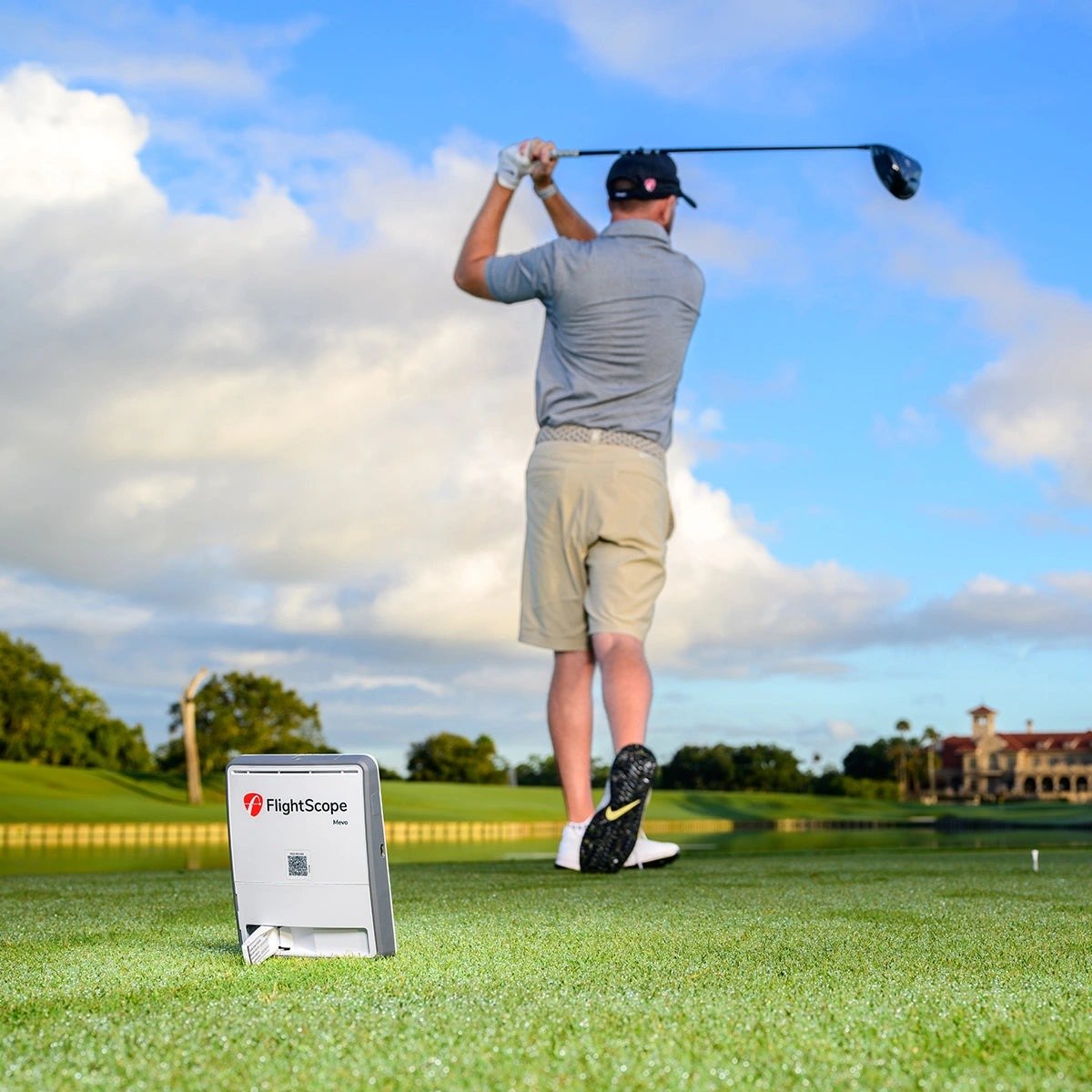
What you actually get
What the Mevo Gen2 does for your practice
Each benefit comes from FlightScope's own page or from an owner who has one.
Numbers on full swings, chips and putts
FlightScope lists carry, roll and total distance, ball and club speed, smash factor, launch angles, spin rate and axis, apex, angle of attack and dispersion for full swings, plus chipping and putting data.
Courses you keep
The purchase includes ownership of an E6 Connect bundle of 8 courses for iOS and PC, including Kiawah Ocean Course and Torrey Pines South.
No yearly bill for the basics
FlightScope says all core data parameters, firmware updates and software fixes are free, with no subscription required.
A full session on one charge
A rechargeable lithium-ion battery rated for up to 6 hours, charged over USB-C.
Video of every swing
The built-in camera lets the FS Golf app record, clip and sync swing video with the shot data and a shot tracer.
Works where there is no internet
The unit makes its own Wi-Fi network, so the range does not need a connection, per FlightScope.
Before you order
Seven details owners and FlightScope say matter with a Mevo Gen2
Owners like the data and the no-subscription model, and they agree on what to plan for. Each line comes from FlightScope or from a person who owns one.
- Measure your room first
FlightScope's guide says 7 to 9 feet from the unit to the tee, and indoors at least 8 feet of ball flight. One owner says it needs 7 to 8 feet of ball path in front to detect.
- Stickers or RCT balls indoors
FlightScope says aluminum stickers or Titleist RCT balls are required for accurate spin in limited flight. 100 stickers come in the box.
- Check what is near the net
FlightScope warns that fluorescent lights, fans, fridges, TVs, computers in front of the unit and HVAC units can create noise that interferes with shots.
- Plan for Wi-Fi in the garage
The unit makes its own Wi-Fi network. One owner says early connection issues went away only after adding a Wi-Fi extender in the garage.
- Indoor numbers can read short
Owners in two threads report shorter distances indoors, about 20 yards on the driver for one and about 30 yards in a garage bay for another, while outdoor numbers looked right.
- Turn it off after a session
One owner says it does not switch itself off and the battery runs down by the next day if you forget.
- Check your phone or tablet
FlightScope lists iOS 18 or newer and Android 14 or newer as minimums for the FS Golf app.
None of this is a dealbreaker for most home golfers, but it is the part the spec sheet does not shout. We have not tested the unit ourselves.
Built from: FlightScope Mevo Gen2 product page, r/Golfsimulator thread, What's people's thoughts on the Mevo Gen2?, r/Golfsimulator thread, Mevo Gen 2 Product Review, Indoor Distances Short. How we research
Owners, in their own words
What owners say, good and bad
Owners quoted word for word from public forums and the maker's site. Each quote links to where it was posted.
“Plug and play, accurate, no complaints.”
“It takes a while first few times. But can set it up in 2-3 minutes now.”
“My wedges and irons are pretty close to real life as far as distance. My driver is maybe 20 yards shorter on average.”
“My Mevo Gen 2 distances were about 30 yards short indoors in my garage simulator bay. Outdoors at the range they were accurate.”
“Terrible for chipping and putting.”
What is included
What arrives in the box
These are the items FlightScope lists with a Mevo Gen2 purchase.
- Mevo Gen2 unit Radar and camera launch monitor, 1.1 lb, with a kickstand
- Power supply and USB-C cable To charge the built-in battery
- Carry case For the range bag
- Quickstart guide Setup and first session
- 100 aluminum stickers Ball markers FlightScope requires for accurate spin indoors
- E6 Connect 8 course bundle and FS Golf app Software included, for iOS and PC (the app also runs on Android)
Your first month
What owners add in the first month
The monitor is the start. These are things the official page or owners mention.
Golf hitting mat
Owners describe hitting from a mat in a garage enclosure, and one says a moving mat spoils the alignment.
See optionsGolf net or impact screen
One owner uses an 8x10 enclosure, and FlightScope's guide asks for at least 8 feet of ball flight indoors.
See optionsTitleist RCT golf balls
FlightScope says aluminum dots or Titleist RCT balls are required for accurate spin indoors.
See optionsWi-Fi extender for the garage
One owner says connection issues went away after adding a Wi-Fi extender in the garage.
See optionsAlignment stick
One owner marks the target line with an alignment stick and then fine-tunes with the camera.
See optionsBuy without the knot in your stomach
How to buy it with confidence
Returns
FlightScope's own store lists a 30-day return guarantee, as read on November 8, 2026. On Amazon, the return window is the one shown on the listing for that seller.
Warranty
FlightScope's store lists a 12-month warranty. Ask FlightScope how it treats a unit bought from another seller, and keep the receipt.
The right listing
Look for the FlightScope Mevo Gen2 unit itself. Amazon also shows bundles with the Pro Package, Face Impact Location or a net, and an older Mevo and the Mevo+ are different products.
Check the box
When it arrives, check the unit, power supply, USB-C cable, carry case, quickstart guide and stickers against the list above.
Checked on November 8, 2026
Specifications and availability were checked against the manufacturer and Amazon pages on this date. Store prices change by the hour, so the price at checkout is the one that counts. How we research
Still deciding?
Questions people ask before buying
Does Mevo Gen2 require a subscription?
No for the core. FlightScope says all core data parameters, firmware updates and software fixes are free with no subscription, and the purchase includes 8 E6 Connect courses you own. The Pro Package, Face Impact Location and extra courses are optional paid add-ons.
Is the Mevo Gen2 accurate?
Owners are split. Some say irons and wedges read close to real life outdoors, while others report distances reading short indoors in a garage, by about 20 to 30 yards in their posts. FlightScope says independent testers found it within 1% of far pricier units. We have not tested it ourselves.
Is Mevo better than Mevo Gen2?
They are different units. FlightScope sells the Mevo Gen2 as its current model with radar plus a camera and USB-C charging, and the original Mevo and the Mevo+ are older, separate products. Check the exact model name on any listing before you buy.
Which is better, the Mevo Gen2 or the Garmin R10?
They are different tools. The R10 is a smaller radar unit that uses your phone as the screen, while the Mevo Gen2 adds a camera and owned E6 courses. We have not tested either, so we do not rank their accuracy. Read our Garmin Approach R10 page and compare what each costs to run.
How much space does the Mevo Gen2 need?
FlightScope's guide says 7 to 9 feet from the unit to the tee, and indoors at least 8 feet of ball flight in front, with aluminum dots or Titleist RCT balls for accurate spin. Owners in garages say the room behind and in front of the ball is what makes or breaks it.
Does the Mevo Gen2 have a camera?
Yes. FlightScope says it has a built-in camera, and the FS Golf app can record, clip and sync swing video with the shot data. The camera also helps you line the unit up with your target.
Does the Mevo Gen2 need internet?
No. FlightScope says the unit generates its own Wi-Fi network and requires no internet connection. One owner says they added a Wi-Fi extender in their garage to stop early connection drops.
Can the Mevo Gen2 play GSPro?
Yes. FlightScope lists E6 Connect, Awesome Golf on PC and iOS, and GSPro on PC. GSPro and the extra E6 content are separate software from other companies, with their own terms.
Your first real numbers start the day the box arrives
Measure 7 to 9 feet behind your tee, put a sticker on the ball and hit your first session at the range. Then bring it home and play one of your 8 courses.
Price and stock change on Amazon, so check the current listing and the seller.