Garmin Approach R10 portable golf launch monitor
See your swing numbers at home or on the range, without a bay fee
The Garmin Approach R10 is a 148 g radar launch monitor that sends your shot data to your phone. It is for golfers who want to practice in the backyard, the garage or at the range, and this page is plain about the extras that cost more.
- Tracks more than a dozen golf metrics, per Garmin
- Up to 10 hours of battery and an IPX7 water rating
- Tripod, phone mount and carry case in the box

Sound familiar?
Practice without numbers is guessing
You hit a bucket at the range and walk away not sure what the ball actually did. A bay with a simulator costs money every visit, and a big launch monitor costs far more than you want to spend on a hobby. So you keep wondering whether a small portable unit can give you real feedback at home, and what the fine print is.
“Electric motors in fans (heaters) can interfere with it. They need to be kept outside of its field of view.”
- What it costs to leave it unsolved
- You repeat the same miss because you never see the numbers
- You pay for range or bay time just to get basic data
- You buy a unit without planning the space and find out about fans and floors later
The way out
A small radar unit that sits behind the ball
The R10 uses radar and pairs with your phone through the Garmin Golf app. It sits on its own tripod behind the ball, tracks metrics such as club head speed, ball speed, spin, launch angle and smash factor, and records video clips with your stats on them. Pack it in the case and take it to the range.
A 148 g radar launch monitor with a phone mount and carry case, built to move between the garage and the range.
-
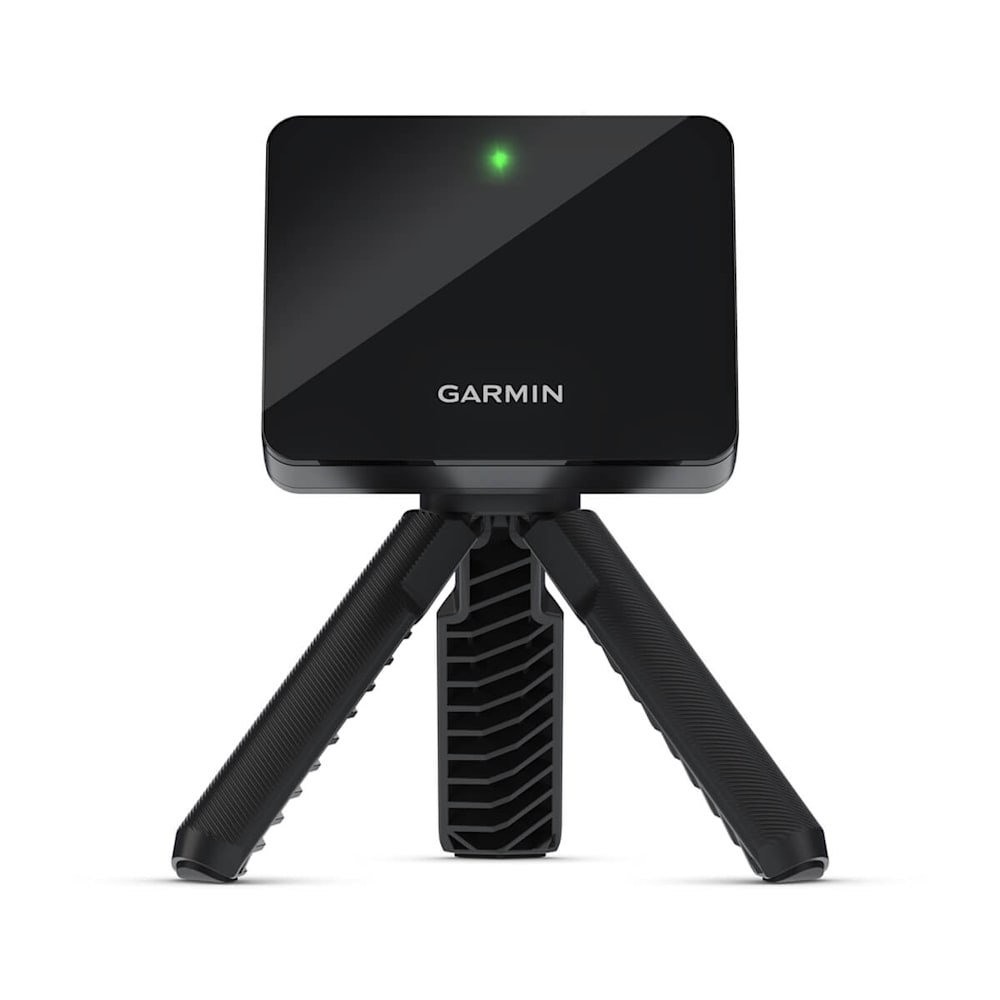
Set it up
Place the unit on its tripod behind the ball and pair it with your phone and the Garmin Golf app.
-
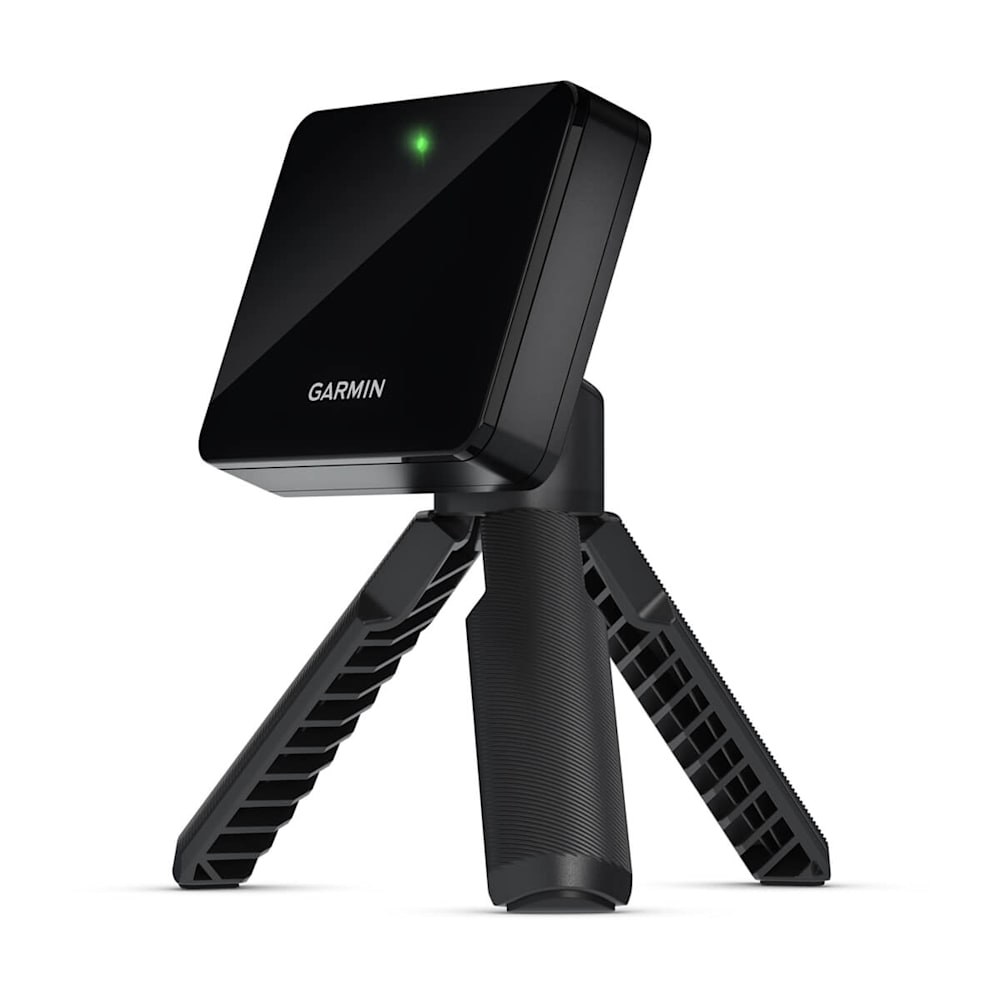
Hit and read your numbers
See club head speed, ball speed, launch angle, spin and more on your phone between swings.
-
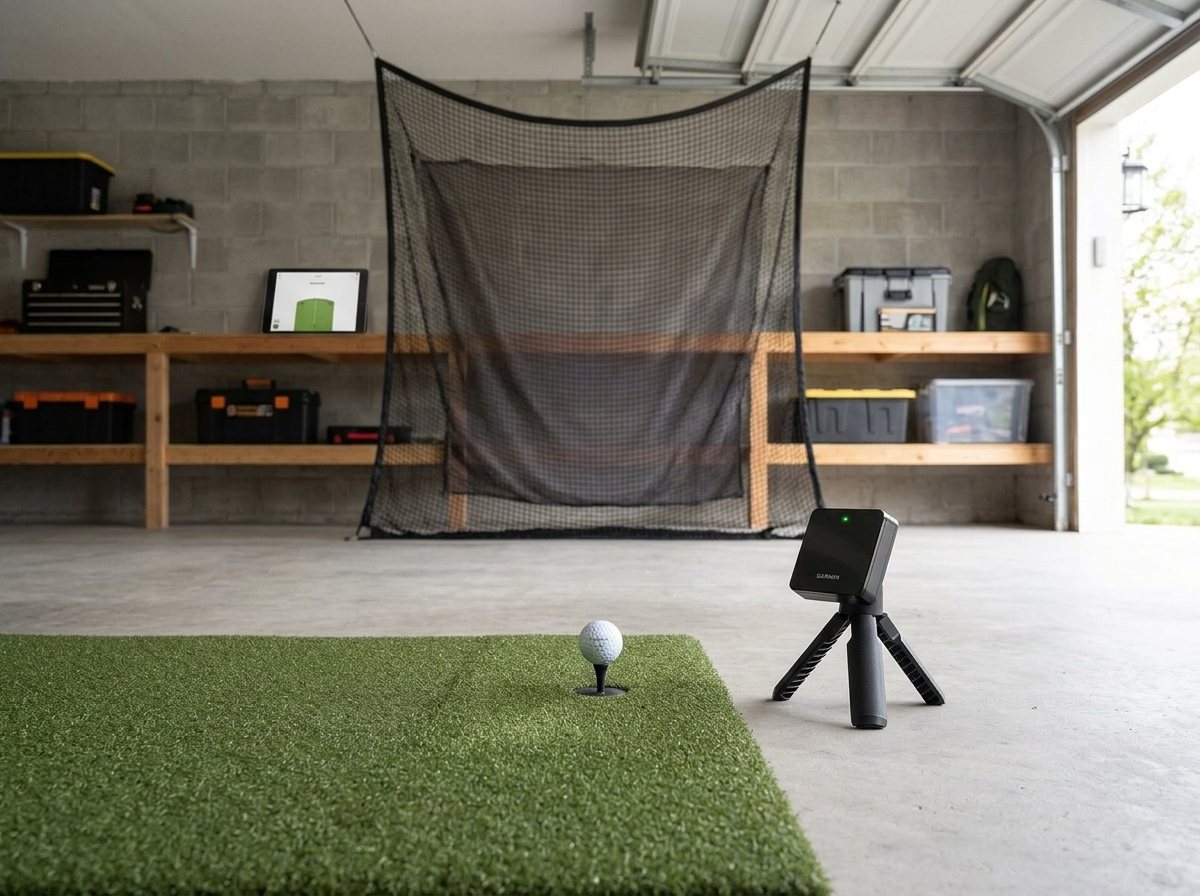 AI illustration
Take it with you
Fold it into the carry case and move from the garage or the backyard to the driving range.
The R10, up close
Official Garmin photos. Tap any image to enlarge.
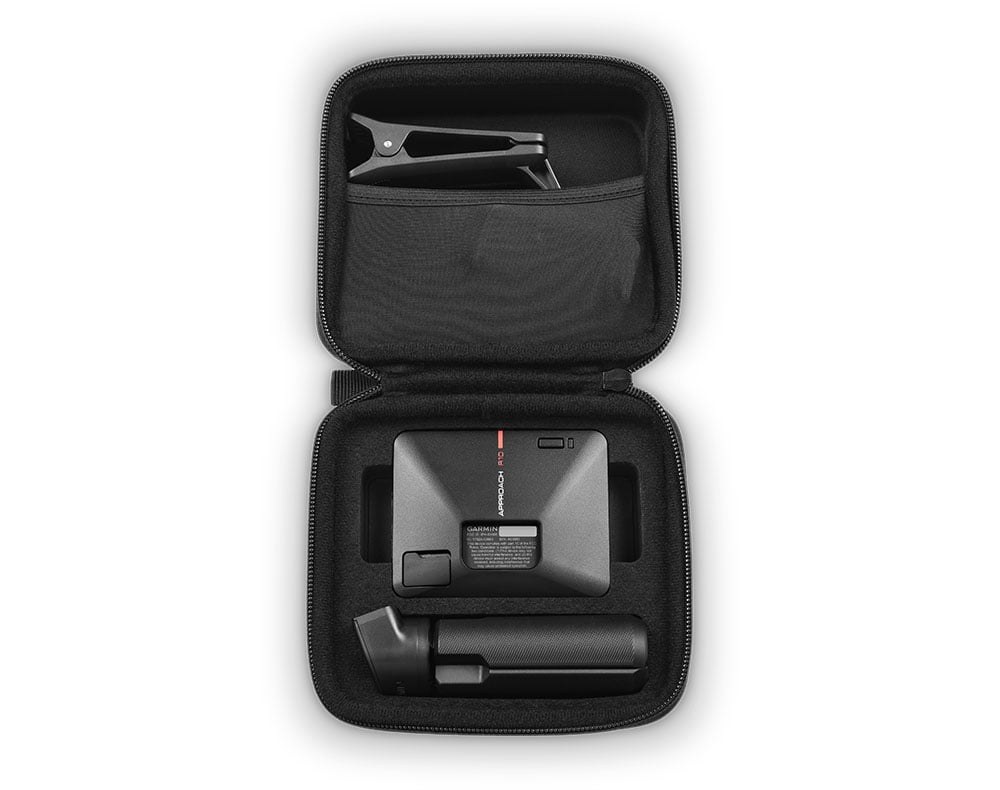
What you actually get
What the Approach R10 does for your practice
Each benefit comes from Garmin's own page or from an owner who has one.
Numbers on every swing
Garmin lists club head speed, ball speed, launch angle, spin rate, smash factor, carry and total distance among its metrics.
Goes where you practice
148 g, with a tripod and a carry case in the box, plus a phone mount that clips to your golf bag.
A session without hunting for a socket
Internal rechargeable battery rated up to 10 hours by Garmin, charged by microUSB.
A way to play courses at home
Home Tee Hero offers 43,000 courses, with a Garmin Golf membership. Third-party simulators such as GSPro, E6 and Awesome Golf are sold separately.
Video of your swing with your stats on it
Garmin says it records video clips automatically with your real stats overlaid, saved for later (requires an active Garmin Golf membership).
Ready for damp days
Water rating IPX7 on Garmin's spec list.
Before you order
Six setup details owners say matter with an R10
Owners like this monitor, and they agree on what to plan for. Each line comes from Garmin or from a person who owns one.
- It needs your phone
Garmin says the device requires a paired compatible smartphone with the Garmin Golf app.
- The best simulator feature has a membership
Garmin says Home Tee Hero and the saved video clips need an active Garmin Golf membership, and third-party simulators are sold separately. Check the current membership terms on Garmin's site.
- Mind the floor
One owner using it in a garage says it does not like being on concrete and that outdoor carpet works great.
- Keep fans and heaters out of the way
An owner warns that electric motors in fans and heaters can interfere with it and should stay out of its field of view.
- Give it room behind the ball
One owner says they keep the unit 8 feet from the general impact area. Garmin's own placement guide has the official distances.
- Let the ready indicator settle
An owner says that if it is not reading swings, the club may not have been still long enough, and you can waggle but have to pause briefly before swinging.
None of this is a dealbreaker for most golfers, but it is the part the spec sheet does not shout. We have not tested the unit ourselves.
Built from: Garmin Approach R10 product page, r/Golfsimulator thread, just bought a Garmin R10, what should I know. How we research
Owners, in their own words
What owners say, good and bad
Owners quoted word for word from public forums and the maker's site. Each quote links to where it was posted.
“I compared the numbers to my GC quad and they are very close.”
“it doesn’t like being on concrete, outdoor carpet works great.”
“Electric motors in fans (heaters) can interfere with it. They need to be kept outside of its field of view.”
“I do occasionally use home tee hero as a warmup prior to playing local courses. But I would never use it with my friends. The graphics are really rough”
What is included
What arrives in the box
These are the items Garmin lists with the Approach R10.
- Approach R10 launch monitor Radar unit, 148 g without the tripod
- Tripod stand Holds the unit behind the ball
- Phone mount Clips to your golf bag
- Carry case For the range or storage
- microUSB cable To charge the unit
- Documentation Setup and safety information
Your first month
What owners add in the first month
The monitor is the start. These are things people in the thread say they ended up using.
Golf hitting mat
One garage owner says the R10 does not like being on concrete and that carpet works great.
See optionsLeveling stand for the R10
Owners recommend a base with a level and say it improves repeatability and ease of setup each time.
See optionsRCT golf balls
An owner in the thread says to get the RCT balls.
See optionsGolf practice net
Owners describe garage setups, hitting into a net from a mat.
See optionsFloor marking tape
An owner says to mark a spot on the ground so you are getting the same data each session.
See optionsBuy without the knot in your stomach
How to buy it with confidence
Returns
We could not read Garmin's returns page on November 6, 2026, so we do not quote terms. On Amazon, the return window is the one shown on the listing for that seller.
Warranty
Garmin links a Warranty Information page from its product page. Read it, and ask Garmin how it treats a unit bought from another seller, before you order.
The right listing
Look for the Garmin Approach R10, part number 010-02356-00, and read whether the listing is the unit alone or a bundle.
Check the box
When it arrives, check the tripod, phone mount, carry case and microUSB cable against the list above.
Checked on November 6, 2026
Specifications and availability were checked against the manufacturer and Amazon pages on this date. Store prices change by the hour, so the price at checkout is the one that counts. How we research
Still deciding?
Questions people ask before buying
Is the Garmin Approach R10 any good?
Owners in r/Golfsimulator mostly say yes for the price. One says its numbers were very close to a much more expensive monitor, and others say the simulator graphics in Garmin's own app are weaker. We have not tested it ourselves.
Does the Garmin R10 require a subscription?
The unit pairs with the Garmin Golf app, but Garmin says Home Tee Hero and the saved video clips need an active Garmin Golf membership. Third-party simulators such as GSPro, E6 and Awesome Golf are sold separately. Check current prices on Garmin's site.
Is the R10 worth it?
It can be, if you want a light, portable radar monitor for the garage, the backyard and the range, and you plan for the mat, the phone and the software you will use. If you want a unit with its own built-in screen, look elsewhere.
Does the Garmin R10 require a special ball?
Garmin's product page does not say a special ball is required. One owner in r/Golfsimulator tells new owners to get the RCT balls, so ask Garmin or check its support pages if spin numbers matter to you.
How long does the Garmin R10 battery last?
Garmin lists up to 10 hours from the internal rechargeable lithium-ion battery, charged with the microUSB cable in the box.
Can I use the Garmin R10 at a driving range?
Yes. Garmin says the R10 is easy to move from inside your home to the backyard and even to the driving range, and the carry case and tripod are in the box.
How much does the Garmin Approach R10 weigh?
Garmin lists 5.22 oz (148 g) without the tripod and 7.79 oz (220.8 g) with it, and a size of 3.5 x 2.8 x 1 in without the tripod.
Is the Garmin R10 waterproof?
Garmin lists a water rating of IPX7. That is a spec for the unit, not a reason to hit in a storm.
Your first real numbers start when the box arrives
Pick the R10, plan the floor, the fans and the software, and give it one practice week. Then take it to the range and compare.
Price and stock change on Amazon, so check the current listing and the seller.