Review · FlightScope Mevo Gen2
Mevo Gen 2 Review: Is the FlightScope Mevo Gen2 Worth It? What Owners Say
Mevo Gen 2 review: FlightScope's specs, what is in the box, the space it needs, what is free and what costs extra, and what r/Golfsimulator owners say about its numbers.
Disclosure: we may earn a commission if you buy through links on this page, at no extra cost to you. As an Amazon Associate we earn from qualifying purchases. It never changes what we recommend.
This article contains affiliate links. If you buy through them, we may earn a commission at no extra cost to you. It does not change what we write, and the limits below are here because they matter to a buyer.
Is the FlightScope Mevo Gen2 worth it? Yes, if you want one launch monitor for the range and a home setup, you care about owning your simulator courses instead of renting them, and you have the room it asks for. No, if your garage is tight, if you mostly want to practice chipping and putting indoors, or if you need every indoor shot to match the course.
If that sounds like you, the short version is on our FlightScope Mevo Gen2 launch monitor page. The rest of this article is the longer, more careful answer.
Here is how we know what we know. This article is built from FlightScope’s official product page, read on November 8, 2026, and from public posts in Reddit’s r/Golfsimulator. Nobody at CandorPicks has used this monitor, so we do not describe how it performs from experience, and we make no claim about how accurate it is. We quote people who own one, word for word, and we link every post. They are a small sample of posts, not a rating.
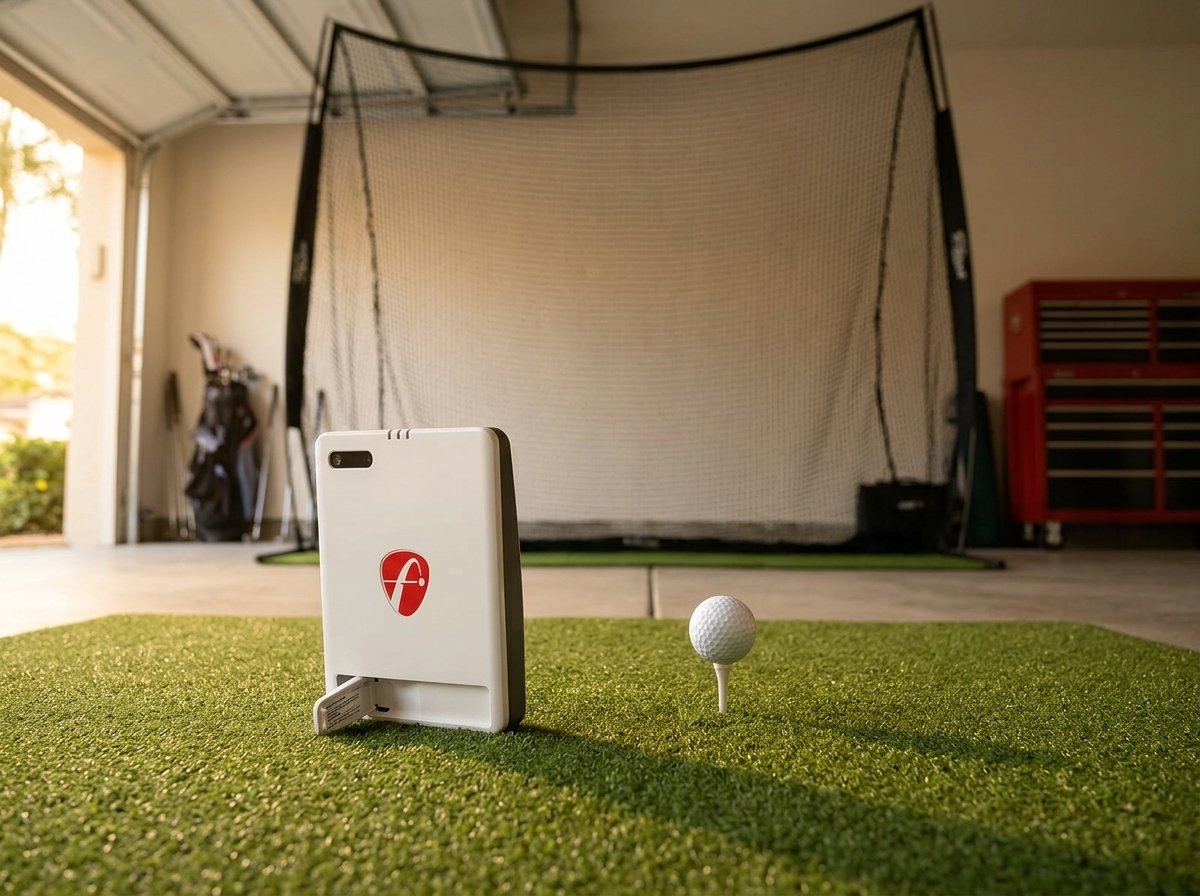
What are the Mevo Gen 2’s main specs?
All of this comes from FlightScope’s Mevo Gen2 page, read on November 8, 2026:
- Fusion Tracking, which FlightScope describes as 3D Doppler radar combined with synchronized image processing from a built-in camera.
- Size of 6.9 x 1.2 x 5.6 inches and a weight of 1.1 lbs.
- Rechargeable lithium-ion battery, up to 6 hours, with USB-C charging.
- Full swing data including carry, roll and total distance, ball speed, club speed, smash factor, vertical and horizontal launch angle, spin rate, spin axis, apex height, flight time, angle of attack, spin loft and shot dispersion, plus chipping and putting data.
- Its own Wi-Fi network, with no internet connection required.
- The free FS Golf app for iOS, Android and PC, and compatibility with E6 Connect, Awesome Golf and GSPro.
- Optional paid upgrades: the Pro Package (11 more parameters, including club path, face angle, swing plane and low point) and Face Impact Location.
Is the Mevo Gen 2 any good? What owners say
In an August 2026 r/Golfsimulator thread asking what people think of the Mevo Gen2, owners were split in a useful way. One owner, u/International_Bug_94, wrote: “Plug and play, accurate, no complaints.” (r/Golfsimulator, August 2026). Another, u/Wise_Boysenberry8075, wrote: “No subs is a big bonus, and I haven’t had any glitches.” (August 2026). The same owner says early Wi-Fi drops in the garage went away only after adding a Wi-Fi extender.
The critics in the same thread were blunt. u/hahayes234 wrote: “Terrible for chipping and putting.” (August 2026). That owner sold it for a camera-based unit. Another owner said they had nothing but problems getting theirs to work in a garage, and suspected the environment.
On setup, a recent owner, u/No-Dentist-6489, wrote: “It takes a while first few times. But can set it up in 2-3 minutes now.” (August 2026).
Is the Mevo Gen 2 accurate?
We cannot answer that from experience. FlightScope’s page says independent testers found it within 1% of the Foresight GCQuad and the Trackman 4. Owners report something more mixed, and the split is mostly indoors versus outdoors.
u/Mach855, who has owned one for about a year, wrote: “My wedges and irons are pretty close to real life as far as distance. My driver is maybe 20 yards shorter on average.” (August 2026). The same owner still said they would buy another.
In an earlier thread titled “Mevo Gen 2 Product Review - Indoor Distances Short”, u/csenn_man wrote: “My Mevo Gen 2 distances were about 30 yards short indoors in my garage simulator bay. Outdoors at the range they were accurate.” (r/Golfsimulator, September 2025). Several replies describe the same thing. Firmware has been updated since, and one owner in 2026 mentions a third firmware update, but we have not seen a post confirming the indoor issue is fixed. If indoor numbers are your main use, read the newest threads before you buy, and use the return window if your room does not work.
Does the Mevo Gen 2 require a subscription?
No for the core. FlightScope says all core data parameters, firmware updates and software fixes are free, with no subscription required. The purchase includes ownership of an E6 Connect bundle of 8 courses for iOS and PC, including Kiawah Ocean Course and Torrey Pines South. What costs extra: the Pro Package and Face Impact Location upgrades, more E6 Connect courses, and third-party software such as GSPro, which has its own terms.
How much space does the Mevo Gen 2 need?
FlightScope’s space guide says 7 to 9 feet from the unit to the tee. Outdoors, ball flight can be unrestricted. Indoors, in what it calls limited flight, you need at least 8 feet of ball flight, and aluminum dots or Titleist RCT balls for accurate spin. One owner says it needs 7 to 8 feet of ball path in front to detect, and that swings into the side net are not read as well.
FlightScope also warns that some appliances create noise that can interfere with shots: fluorescent lights, fans, fridges, TVs, laptops and desktop computers in front of the unit, signal towers and HVAC units. In a garage, check what is near the net before you blame the unit.
Mevo Gen 2 vs MLM2PRO, R10 and the SC4 Pro
They are different tools. Our Rapsodo MLM2PRO launch monitor page covers a camera-based unit with its own membership, our Garmin Approach R10 launch monitor page covers a light radar unit that uses your phone as its screen, and our Swing Caddie SC4 Pro launch monitor page covers a radar unit with its own screen. The Mevo Gen2 sits higher: radar plus a camera, owned courses and no yearly fee for the core data. We have not tested any of them, so we do not rank their accuracy. Compare what each costs to own over two or three years, not just what it costs to buy.
What comes in the box?
From FlightScope’s product page: the Mevo Gen2 unit, a power supply, a USB-C cable, a carry case, a quickstart guide and 100 aluminum stickers, plus the FS Golf app, the FS Skills Challenges app and the E6 Connect 8 course bundle. Here is what you would likely buy separately:
| In the box | A second purchase |
|---|---|
| Mevo Gen2 unit | A hitting mat |
| Power supply and USB-C cable | A net or impact screen for indoor play |
| Carry case and quickstart guide | More stickers or Titleist RCT balls |
| 100 aluminum stickers | Pro Package or Face Impact Location, if you want them |
| FS Golf app and 8 E6 Connect courses | More courses or GSPro, if you want them |
Amazon shows more than one listing for this monitor, including bundles with the Pro Package, Face Impact Location or a net, and the older Mevo and Mevo+ are different products. Check the model name, what the listing includes and who the seller is. The listing to check is here:
Check the FlightScope Mevo Gen2 on Amazon
On returns and the warranty: FlightScope’s own store lists a 30-day return guarantee and a 12-month warranty, as read on November 8, 2026. On Amazon, the return window is the one shown on the listing for that seller. Keep the receipt either way.
A few habits owners mention
- Turn it off after a session. One owner says it does not shut itself down, and the battery is flat the next day if you forget.
- Line it up with a stick. One owner marks the target line with an alignment stick, then fine-tunes with the camera, and says a mat that moves spoils the alignment.
- Recharge it in storage. FlightScope says to store it charged, in moderate temperatures, and to recharge the battery every 2 to 3 months.
- Check your devices. FlightScope lists iOS 18 or newer and Android 14 or newer as the minimum for the FS Golf app.
The bottom line
The Mevo Gen2 makes the most sense for a golfer who practices at the range and wants a garage or backyard setup later, and who would rather pay once than pay every year. Owners like the data, the camera and the owned courses. The catch is the room: plan 7 to 9 feet behind the ball and at least 8 feet of flight indoors, keep noisy electronics away, and watch your indoor distances during the return window. For the short version and the checklist, see the Mevo Gen 2 launch monitor page.
Your options
Ready to check it?
Affiliate links. We may earn a commission at no extra cost to you.
Last checked: 2026-11-08. Specifications and availability checked against the manufacturer and retailer pages on this date. Prices change often, so the retailer page always wins.