Voice Caddie Swing Caddie SC4 Pro launch monitor
See your swing numbers on the unit itself, no phone needed at the range
The Swing Caddie SC4 Pro is a Doppler radar launch monitor with a built-in screen, voice readouts and a remote. It is for golfers who practice in the garage, the backyard or at the range, and this page is plain about what owners say it misses.
- Eight metrics on its own screen, per Voice Caddie
- Up to 10 hours of battery, rechargeable lithium-ion
- Remote, USB cable and manual in the box

Sound familiar?
Practice without numbers is guessing
You hit a bucket at the range and walk away not sure what the ball actually did. Setting up a tripod, a tablet and software before every session is a chore, and a big launch monitor costs far more than you want to spend on a hobby. So you wonder whether a small unit with its own screen can give you real feedback, and what the fine print is.
“not having to setup a tripod, tablet/phone, 6+ feet behind, etc. is super nice.”
- What it costs to leave it unsolved
- You repeat the same miss because you never see the numbers
- You skip practice because the setup takes longer than the session
- You buy a unit without checking its limits and find out about mishits later
The way out
A radar unit with its own screen, five feet behind the ball
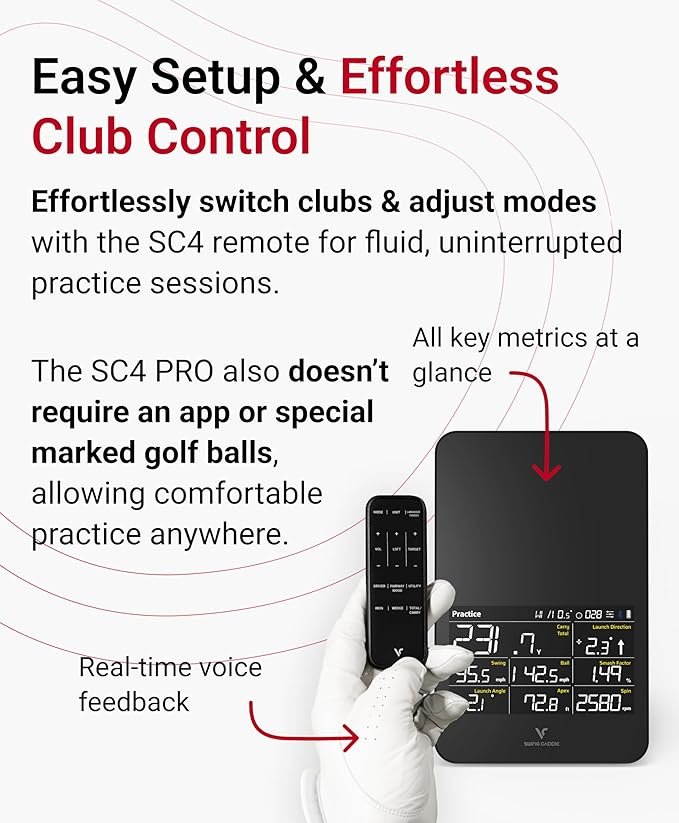
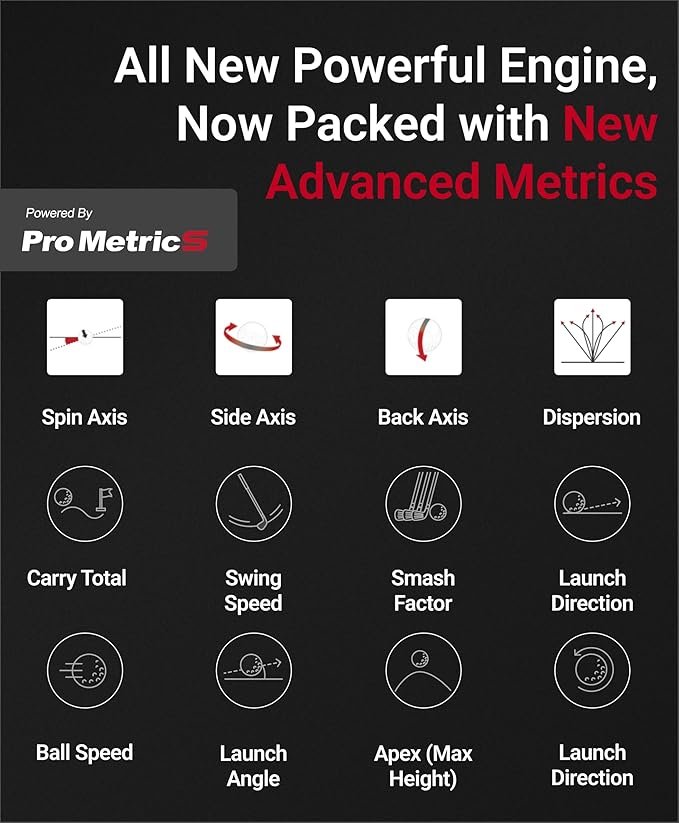
The SC4 Pro uses Doppler radar. Voice Caddie says it works as a standalone unit outdoors, with a screen that shows carry distance, launch direction, swing speed, ball speed, smash factor, launch angle, apex and spin rate, plus a voice readout of distance. For simulator play it connects to the free VoiceCaddie S app and to E6 Connect.
A radar launch monitor with a built-in screen, voice output and a magnetic remote, built to be set up in minutes.
-
Set it up
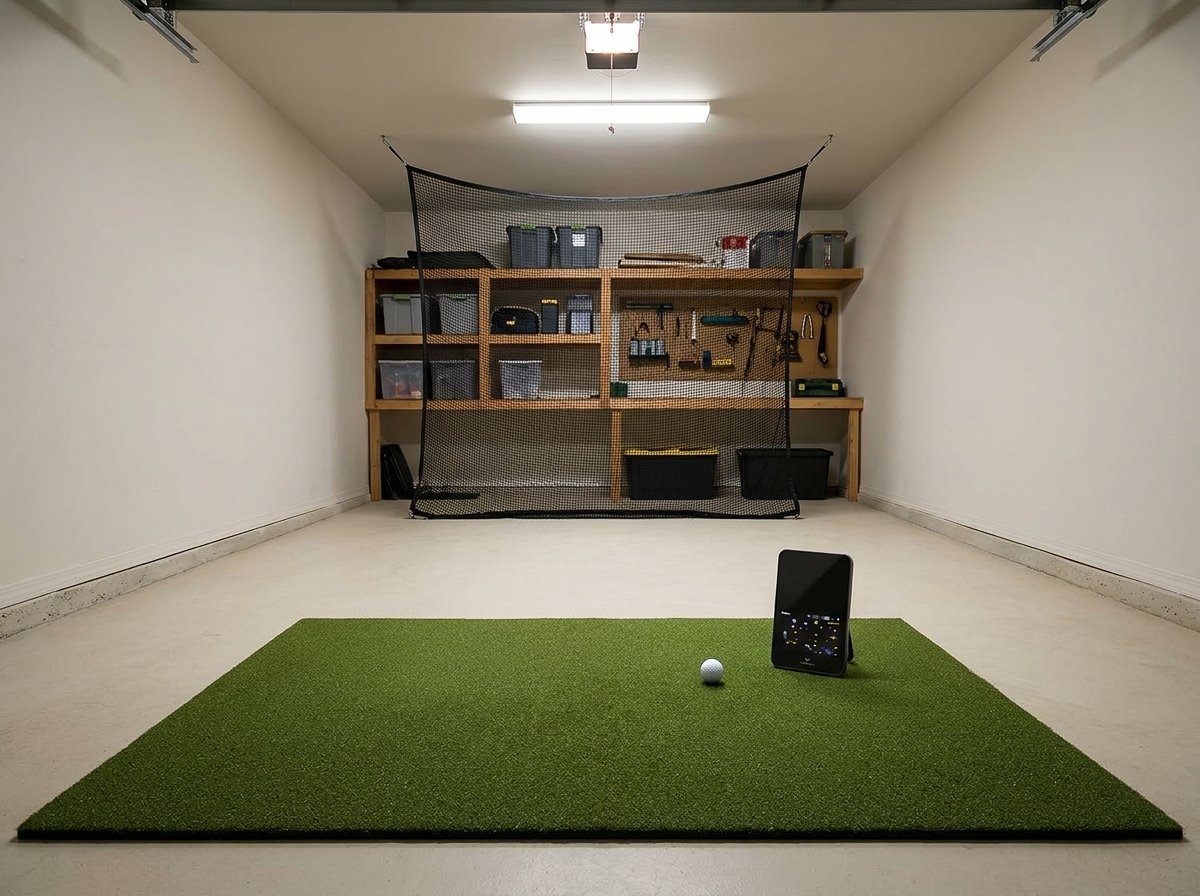
Place the unit about 5 feet behind the ball, level with the hitting surface, with the ball in line with the red mark on top.
-
Hit and read your numbers
Read eight metrics on the unit's screen or hear the distance spoken after each shot.
-
 AI illustration
Add the app when you want more
Connect by Bluetooth to a phone or tablet to save your data, record swings and use the 3D driving range.
The SC4 Pro, up close
Official Voice Caddie images. Tap any image to enlarge.
What you actually get
What the SC4 Pro does for your practice
Each benefit comes from Voice Caddie's own page or from an owner who has one.
Numbers on every swing
Voice Caddie lists carry and total distance, swing speed, ball speed, smash factor, apex, launch angle, launch direction and spin rate.
A screen on the unit
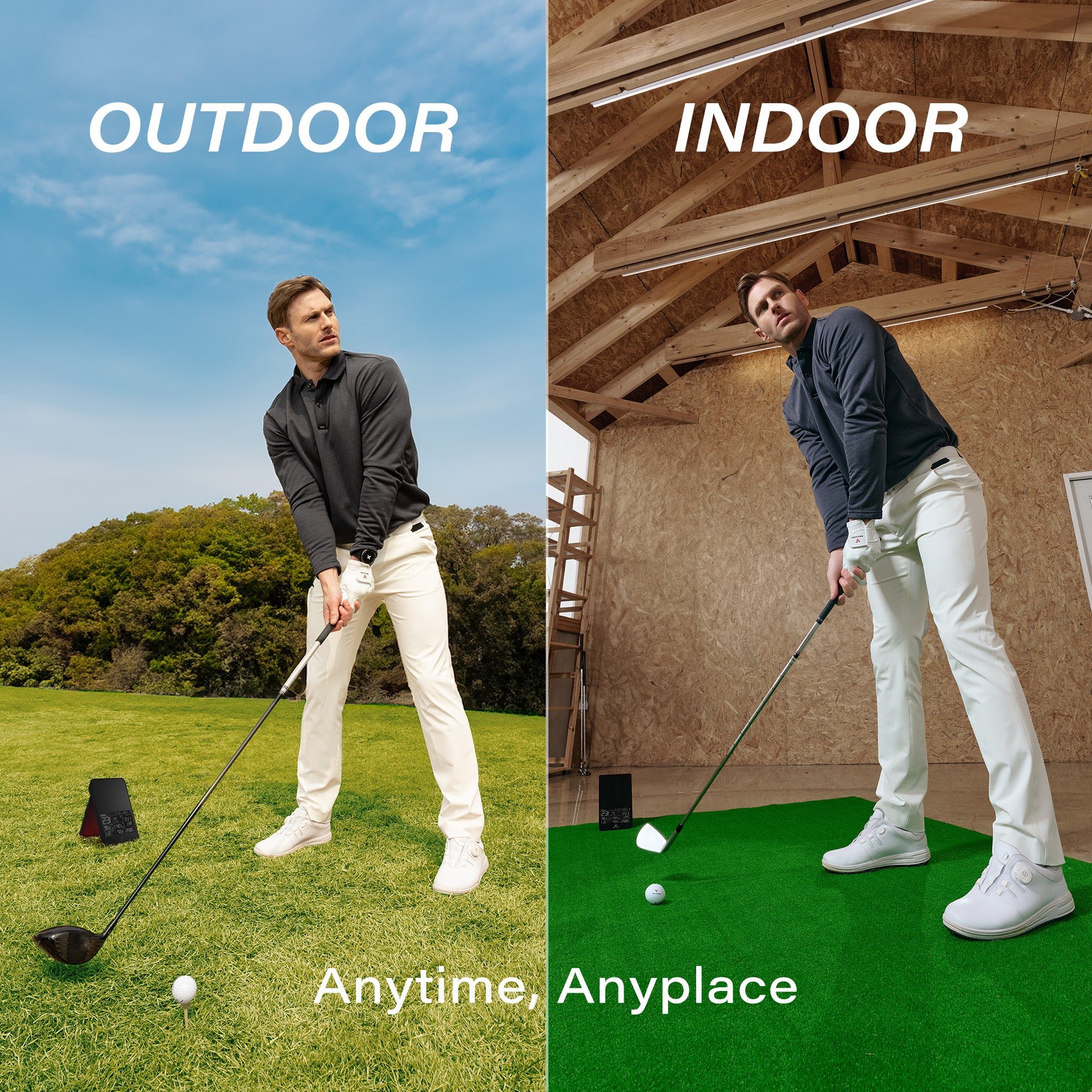
Outdoors it can be used standalone, with no smartphone required, and it speaks the distance after each shot.
A session without a socket
Rechargeable 7,500 mAh lithium-ion battery rated at about 10 hours, with a 6 hour charge from empty, per Voice Caddie.
A way to play courses at home
It is compatible with E6 Connect, with 5 courses and a driving range listed as complimentary. More E6 content is an optional subscription.
A remote for club and target
A remote control clips magnetically to the back of the unit so you can change club settings and targets.
A free app for stats
The VoiceCaddie S app, for Apple and Android, is described as free and offers a 3D driving range and shot analysis.
Before you order
Seven details owners and Voice Caddie say matter with an SC4 Pro
Owners like how simple this monitor is, and they agree on what to plan for. Each line comes from Voice Caddie or from a person who owns one.
- Five feet behind the ball, level
Voice Caddie says the base must be level with the top of the hitting surface, about 5 feet behind the ball in line with its flight, with the ball lined up with the red mark on top.
- Leave room to the net
If you hit into a screen or net, Voice Caddie recommends 10 feet from the ball to the net or screen.
- Standard golf balls only
Voice Caddie says the monitor is not designed to assess non-standard golf balls, so skip foam and odd practice balls.
- The phone is optional, mostly
Outdoors it works standalone. Voice Caddie says the Bluetooth link to a phone or tablet is what lets you save data, record swings and make swing overlays.
- The remote has limits
One owner says the remote changes clubs in practice mode but not while connected to a simulator.
- More courses may cost more
Voice Caddie lists 5 complimentary E6 Connect courses and a driving range, and calls further E6 content an optional subscription. Check the current terms on Voice Caddie's site.
- Expect some wrong reads
One owner says it has some mishits and does not capture shot shape every time, at roughly 1 in 7 shots on the range, and another says it registers shorter than it should. Both are single owner reports.
None of this is a dealbreaker for most casual golfers, but it is the part the spec sheet does not shout. We have not tested the unit ourselves.
Built from: Voice Caddie Swing Caddie SC4 Pro product page, r/Golfsimulator thread, SC4 Pro Review. How we research
Owners, in their own words
What owners say, good and bad
Owners quoted word for word from public forums and the maker's site. Each quote links to where it was posted.
“The screen is bright, even in direct sunlight.”
“I love how little space it needs since I primarily use it in my small garage, hitting into a Spornia net.”
“not having to setup a tripod, tablet/phone, 6+ feet behind, etc. is super nice.”
“Do I think it registers shorter than it should, yes.”
“it def has some mishits and doesn't capture shot shape all the time”
What is included
What arrives in the box
These are the items Voice Caddie lists with the SC4 Pro.
- SC4 Pro launch monitor Doppler radar unit with built-in screen, 20.79 oz
- Remote control Attaches magnetically to the back of the unit
- USB cable To charge the unit
- User manual Setup and use
Your first month
What owners add in the first month
The monitor is the start. These are things the official page or owners mention.
Golf hitting mat
Owners describe practicing from a mat in a garage or at home.
See optionsGolf practice net
One garage owner says they hit into a Spornia net, and Voice Caddie recommends 10 feet from the ball to a net.
See optionsAlignment stand for the SC4
Voice Caddie sells an alignment stand and says the base must sit level with the hitting surface.
See optionsPhone or tablet stand
Voice Caddie says a phone or tablet over Bluetooth is how you save data and use the 3D driving range.
See optionsBuy without the knot in your stomach
How to buy it with confidence
Returns
Voice Caddie's page says items can be returned within 30 days, but refunds and exchanges are only for items bought directly from Voice Caddie, as read on November 7, 2026. On Amazon, the return window is the one shown on the listing for that seller.
Warranty
Voice Caddie lists a one year limited warranty against defects in materials and workmanship from the original purchase date. Ask Voice Caddie how it treats a unit bought from another seller.
The right listing
Look for the Voice Caddie SC4 Pro and read whether the listing is the unit alone or a bundle with a pouch or alignment stand.
Check the box
When it arrives, check the unit, remote, USB cable and manual against the list above.
Checked on November 7, 2026
Specifications and availability were checked against the manufacturer and Amazon pages on this date. Store prices change by the hour, so the price at checkout is the one that counts. How we research
Still deciding?
Questions people ask before buying
Is the Swing Caddie SC4 Pro accurate?
Owners in r/Golfsimulator are split. One says distances seem fairly accurate and mishits happen roughly 1 in 7 shots, another says it registers shorter than it should. Voice Caddie does not publish an accuracy figure on its page. We have not tested it ourselves.
Does the Swing Caddie SC4 Pro require a subscription?
The unit and the VoiceCaddie S app are described as free to use. E6 Connect comes with 5 complimentary courses and a driving range, and Voice Caddie calls further E6 content an optional subscription. Check current terms on Voice Caddie's site.
Is the SC4 Pro better than the Garmin R10?
They are different tools. The SC4 Pro has its own screen and works without a phone outdoors, while the R10 uses your phone as the screen. We have not tested either, so we do not rank their accuracy. Read our Garmin Approach R10 page and decide which trade-off suits you.
What does the Swing Caddie SC4 Pro measure?
Voice Caddie lists carry and total distance, swing speed, ball speed, smash factor, apex, launch angle, launch direction and spin rate, on the unit's screen.
Can I use the SC4 Pro without a phone?
Yes outdoors. Voice Caddie says the unit can be used standalone with no smartphone required. To save data, record swings and use the 3D driving range, you connect a phone or tablet by Bluetooth.
How do I set up the Swing Caddie SC4 Pro?
Voice Caddie says to level the base with the top of the hitting surface, about 5 feet behind the ball in line with its flight, with the ball lined up with the red mark on top. If you hit into a net, keep it 10 feet from the ball.
How long does the SC4 Pro battery last?
Voice Caddie lists about 10 hours, depending on conditions, from a 7,500 mAh lithium-ion battery, and about 6 hours to charge from empty.
Does the SC4 Pro work with all golf balls?
No. Voice Caddie says the monitor is not designed to assess non-standard golf balls, so use regular golf balls.
Your first real numbers start when the box arrives
Pick the SC4 Pro, plan the five feet behind the ball and the room to the net, and give it one practice week. Then take it to the range and compare.
Price and stock change on Amazon, so check the current listing and the seller.