Review · Cricut Maker 5
Cricut Maker 5 Review: Is It Worth It? What Changed and What Owners Say
Cricut Maker 5 review: specs from Cricut, how it compares with the Maker 4, what r/cricut owners say in the first weeks, the pen holder catch and who should skip it.
Disclosure: we may earn a commission if you buy through links on this page, at no extra cost to you. As an Amazon Associate we earn from qualifying purchases. It never changes what we recommend.
This article contains affiliate links. If you buy through them, we may earn a commission at no extra cost to you. It does not change what we write, and the limits below are here because they matter to a buyer.
Is the Cricut Maker 5 worth it? Yes, if you are moving up from a smaller Cricut and want to cut or engrave thicker materials like leather, foam board and acrylic, on a desk without much room. Maybe not, if you already own a Maker 4 and do not need the extra thickness, or if most of your work is tiny, intricate vinyl.
If that sounds like you, the short version is on our Cricut Maker 5 cutting machine page. The rest of this article is the longer, more careful answer.
Here is how we know what we know. This article is built from Cricut’s Maker 5 product page, read on November 9, 2026, Cricut’s own Maker 4 vs Maker 5 comparison, and public posts on Reddit’s r/cricut from the first weeks after launch. Nobody at CandorPicks has used this machine, so we do not describe how it cuts from experience. We quote people who did, word for word, and we link every post. They are a small sample of posts, not a rating.
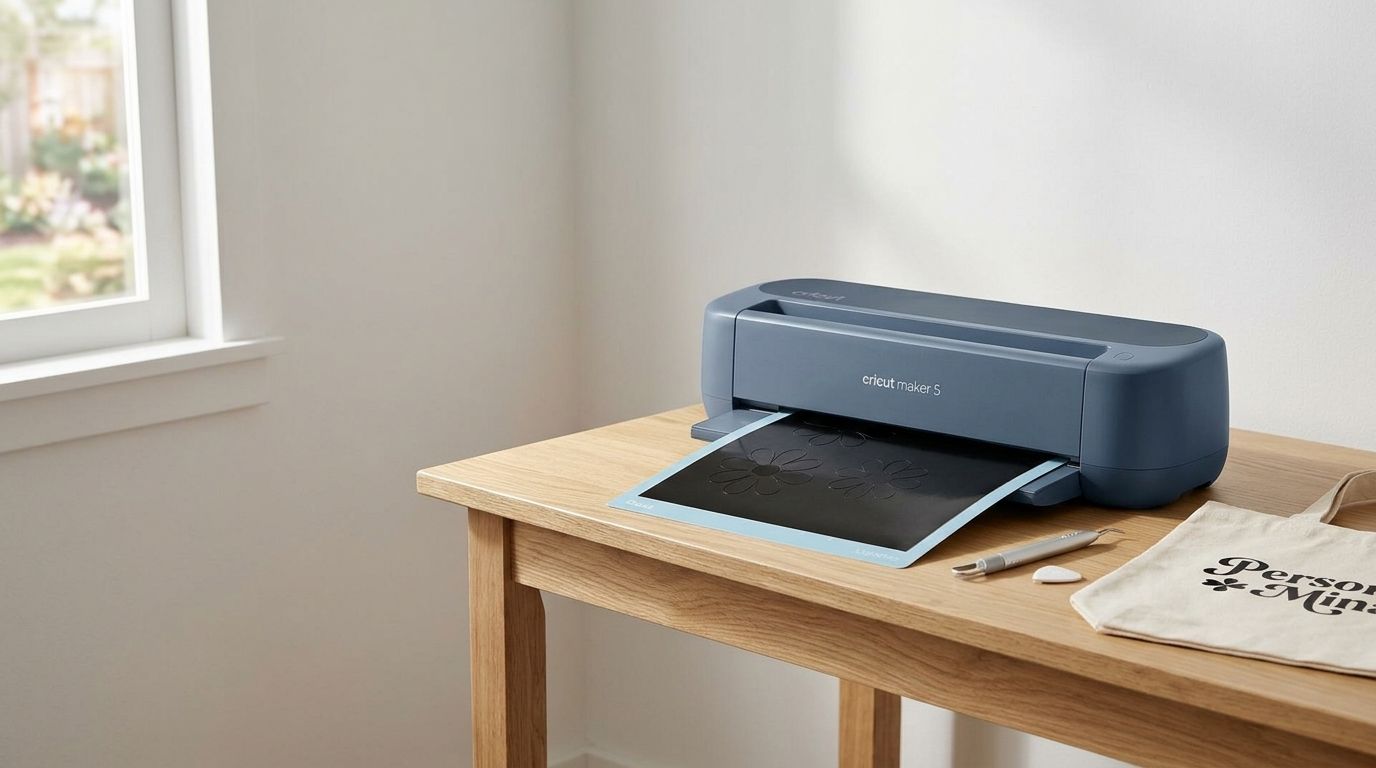
What are the Cricut Maker 5’s main specs?
All of this comes from Cricut’s Maker 5 product page, read on November 9, 2026:
- Works with 300+ materials and 13 tools to cut, engrave, write, draw, foil, score and deboss. Specialty tools are sold separately.
- Cuts approved materials up to 3 mm thick, like leather and foam core board, and engraves materials up to 3 mm like metal and acrylic.
- A 12 inch (30.5 cm) cutting width in a body Cricut calls 30% more compact than previous models.
- 19.8 x 7.5 x 4.7 inches and 10.9 lb (4.94 kg).
- Max cut size of 11.5 x 11.5 inches on the small mat, 11.5 x 23.75 inches on the large mat, and 12 inches by 12 feet with Smart Materials, no mat.
- A cut speed of 14.1 inches per second.
- In the box: the machine in Slate Blue, a pre-installed Premium Fine-Point Blade, a scoring tool, a dual-sided marker, a 12 x 12 inch LightGrip mat, cables and starter materials. Cricut says it is enough for up to 30 projects.
Is Cricut 4 or 5 better?
For thick materials and small desks, the 5. Here is the side by side, from Cricut’s product pages and its September 8, 2026 Maker 4 vs Maker 5 comparison:
| Cricut Maker 4 | Cricut Maker 5 | |
|---|---|---|
| Max material thickness | 2.4 mm | 3 mm |
| Weight | 15.4 lb | 10.9 lb |
| Size | 22.1 x 7.1 x 6.2 in | 19.8 x 7.5 x 4.7 in |
| Materials and tools | 300+ and 13 | 300+ and 13 |
| Cutting width | 12 in | 12 in |
| Pens | Accessory clamp | Snap-in pen holder |
Speed is not the reason to upgrade. Cricut lists 14.1 inches per second for the Maker 5, and Jennifer Maker’s buying guide notes that the Maker 4 has the same top cutting speed. If you do not need 3 mm or the smaller body, our Cricut Maker 4 page covers the older model.
Is Cricut Maker 5 worth it?
For people moving up from a smaller Cricut, the first posts are enthusiastic. u/Haveanothercupoftea, who upgraded from a Cricut Joy, wrote: “I was only making vinyls and stencils with the joy…but I have so many more things I can do now!” (r/cricut, September 2026).
u/No_Cloud5354, who got one as a birthday gift and now makes cards on request, wrote: “I am throughly enjoying it!” (r/cricut, October 2026). Two weeks in, the same owner wrote: “Got the Maker 5 about two weeks ago and have been creating nonstop.” (r/cricut, November 2026).
u/Mini-Schnitzel, showing a birthday banner: “Obsessed with how it came out!!” (r/cricut, October 2026).
Does the Cricut Maker 5 have problems?
Three themes show up in the first weeks on r/cricut. None of them is a rate, just what owners posted.
Intricate cuts. u/kozue-2653, who owns a Joy Xtra and a Maker 5, wrote that “the Joy Xtra seems to handle detailed designs much better than the Maker 5,” that the issue stayed after a replacement unit, and that cutting with a mat gave better results than Smart Vinyl without one (r/cricut, October 2026). u/Antler-Mom asked: “Looks like this new Maker got rid of the intricate setting and I can’t get my cuts right.” (r/cricut, November 2026).
Pens. The r/cricut launch thread notes that the Maker 5, like the Explore 5, has “the pen side car instead of the independent accessory clamp” (r/cricut, September 2026). u/noseymamanoseywife found that her 0.4 infusible ink pens do not fit: “I dislike that I cannot use the 0.4 infusible inks with my maker 5.” (r/cricut, October 2026). Other members suggested 3D printed adapters or pens that fit.
First setup. Several new owners posted help threads about first cuts that did not go through or tools not detected. We cannot tell from posts how common that is, so treat it as a reason to buy where returns are easy.
What can I make with a Cricut Maker 5?
Decals, iron-on shirts, cards, full color stickers with Print Then Cut, leather keychains, engraved ornaments, fabric appliques and signs, according to Cricut. Thicker projects and engraving need tools sold separately, such as the knife blade and the engraving tool.
Does the Cricut Maker 5 need a subscription?
No. Design Space, Cricut’s app, is free. Cricut says the full content library of images, fonts and projects needs a paid Cricut Access subscription, and new customers get a free trial.
Who should skip the Cricut Maker 5?
- Maker 4 owners who do not need 3 mm materials. The tools, materials and speed are the same.
- Crafters who mostly cut very small, intricate vinyl or cardstock, until the cutting settings questions owners raise are settled.
- Anyone with a drawer of older Cricut pens they plan to keep using, unless they are fine with adapters.
So, is the Cricut Maker 5 worth it?
If you are moving up from a Joy or an Explore and want leather, foam board and engraving, yes: it adds the 3 mm clearance and saves desk space, and new owners are making real projects with it. If you already have a Maker 4, the upgrade is mostly thickness and size.
If that fits your craft corner, the Cricut Maker 5 page has the short version and the checklist. Price and stock change on Amazon, so check the listing for the bundle and what is current.
Your options
Ready to check it?
Affiliate links. We may earn a commission at no extra cost to you.
Last checked: 2026-11-09. Specifications and availability checked against the manufacturer and retailer pages on this date. Prices change often, so the retailer page always wins.