Brother Skitch PP1 small embroidery-only machine
Add your own line art and lettering to clothes you already own
The Brother Skitch PP1 is a small machine you run from your phone: draw or pick a design, snap in your fabric and press start. It is embroidery only and it runs from the Artspira app, so it fits people who want to personalize, not sew.
- Run it from the free Artspira app on your phone
- A 4 x 4 inch magnetic frame holds your fabric
- Thread sensors and an automatic thread cutter help you stitch

Sound familiar?
You want your own design on your own clothes
You have a denim jacket, a tote bag or a plain tee that could use a little something. A flower, a small drawing, a name. Store-bought patches never look quite like you. Big embroidery machines cost a lot and take up a lot of room, and you are not sure you will use one every week. So the idea stays in your head.
“I saw a lot of mixed reviews before getting it but it's the only real semi affordable hobby embroidery machine on the market so I bought it anyway.”
- What it costs to leave it unsolved
- Your favorite clothes stay plain because custom work feels out of reach.
- You buy a bigger machine than your small projects will ever need.
- You pick a machine without knowing how it is controlled or what it needs.
The way out
A small machine that stitches your own art
The Skitch PP1 is built around one idea: design on your phone, stitch on the machine. Brother says you can draw line art in the Artspira app and send it to the machine over a wireless connection. A 4 x 4 inch magnetic frame holds the fabric. It sits on a table without taking over the room. Read the checklist below first, because it works a little differently from other machines.
A compact, app-run, embroidery-only machine that Brother made for adding custom designs to ready-made clothes.
-
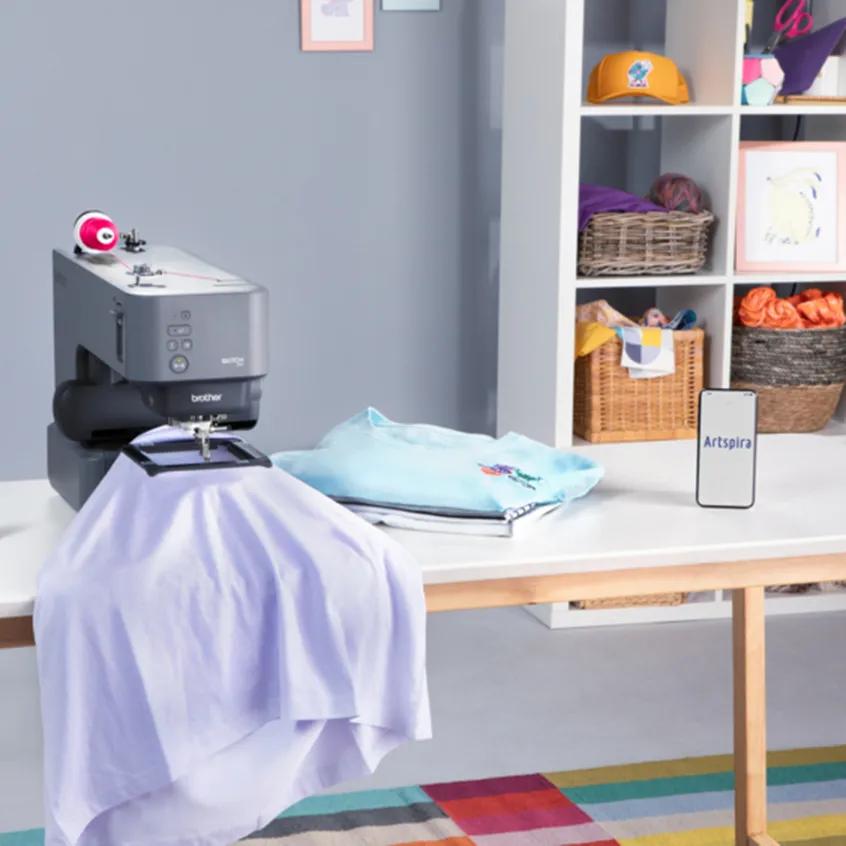
Design or pick in the app
Open the Artspira app on your phone. Draw line art or pick a design, then send it to the machine wirelessly.
-
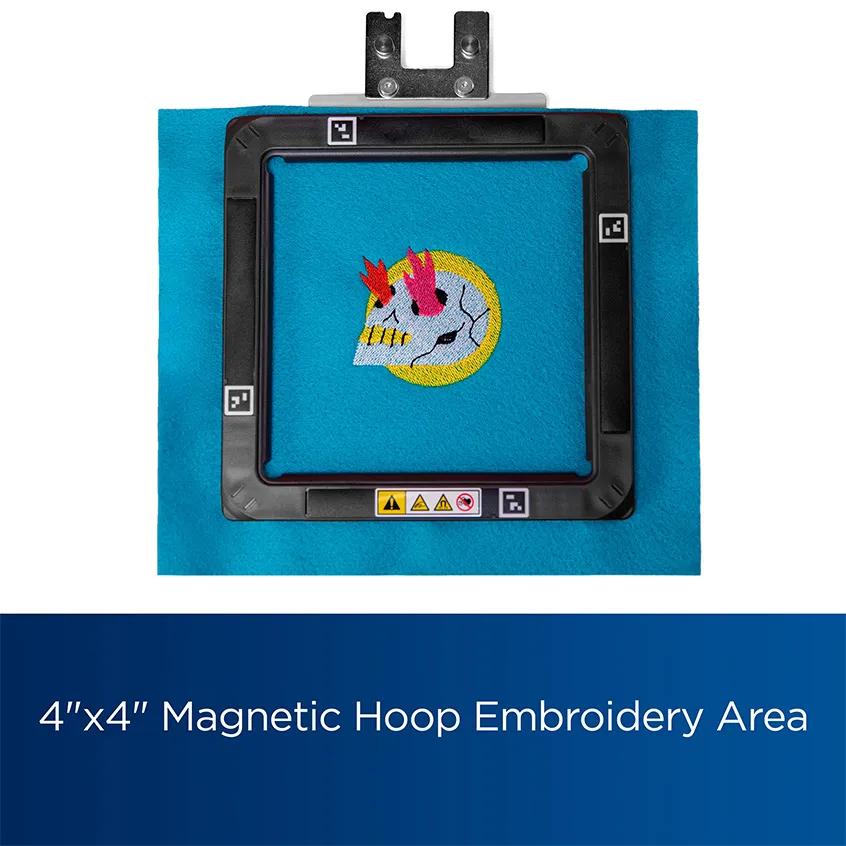
Snap in your fabric
Put the fabric and backing into the 4 x 4 inch magnetic frame. Attach the frame to the machine.
-
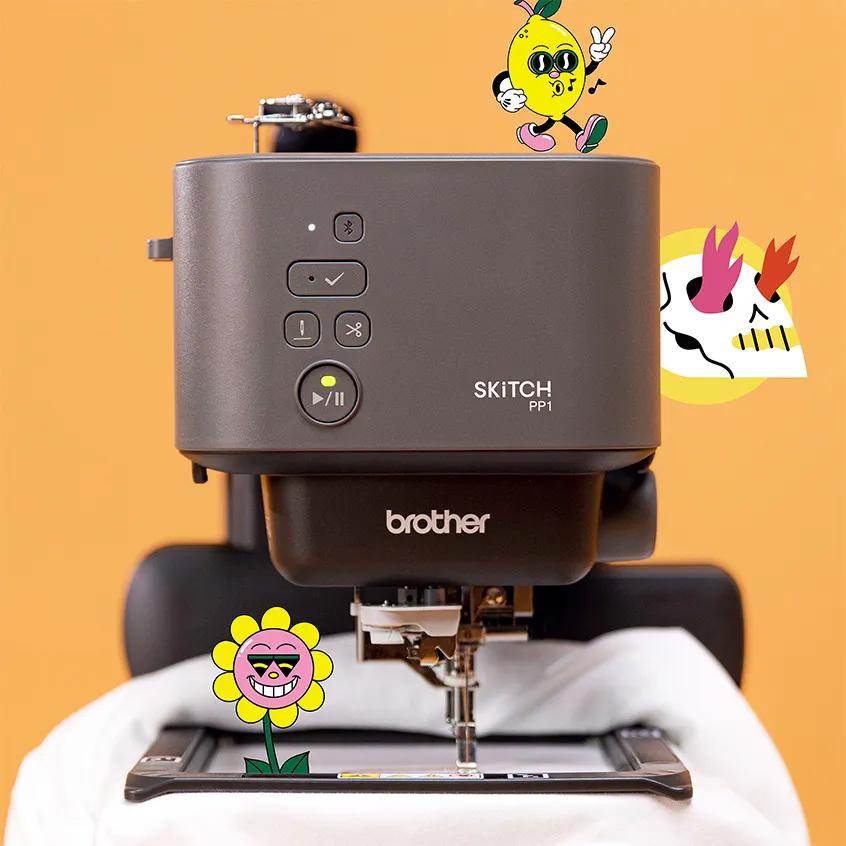
Press start
The machine stitches at up to 400 stitches per minute. The automatic thread cutter trims the thread for you.
The Skitch PP1, up close
Official Brother photos. Tap any image to enlarge.
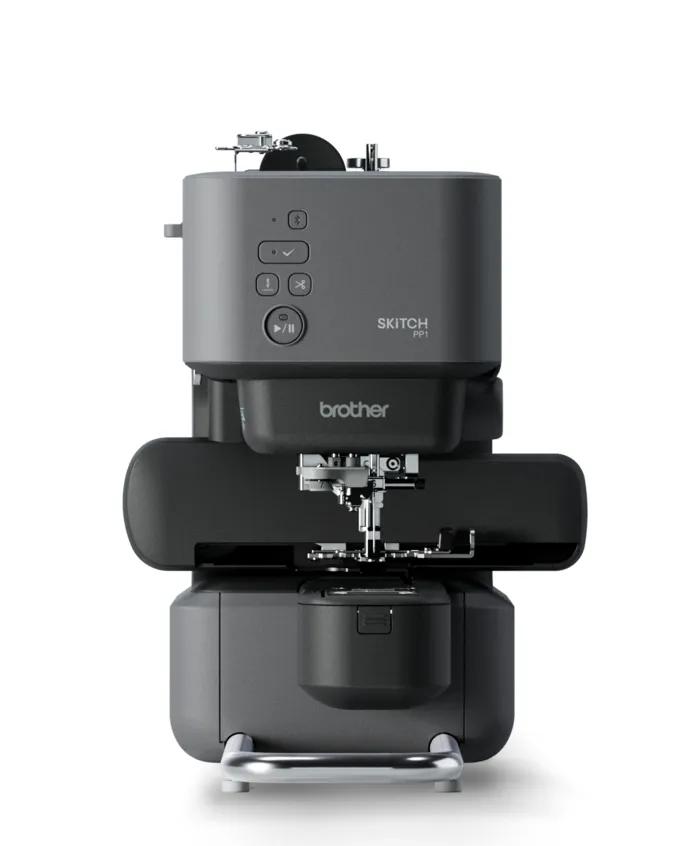
What you actually get
What the Skitch PP1 does for your projects
Each benefit is tied to a spec from Brother's product page.
Personalize pieces you already own
4 x 4 inch maximum embroidery area, with a magnetic frame in the box
Send a new design from your phone
Wireless connection with the free Artspira mobile app, per Brother
Finish small designs without a long wait
Embroidery speed of up to 400 stitches per minute
Hold your fabric with a magnetic frame
A 4 x 4 inch magnetic frame comes with the machine
Sensors keep an eye on both threads
Bobbin sensor, upper thread sensor and an automatic thread cutter
Keep it on a small craft table
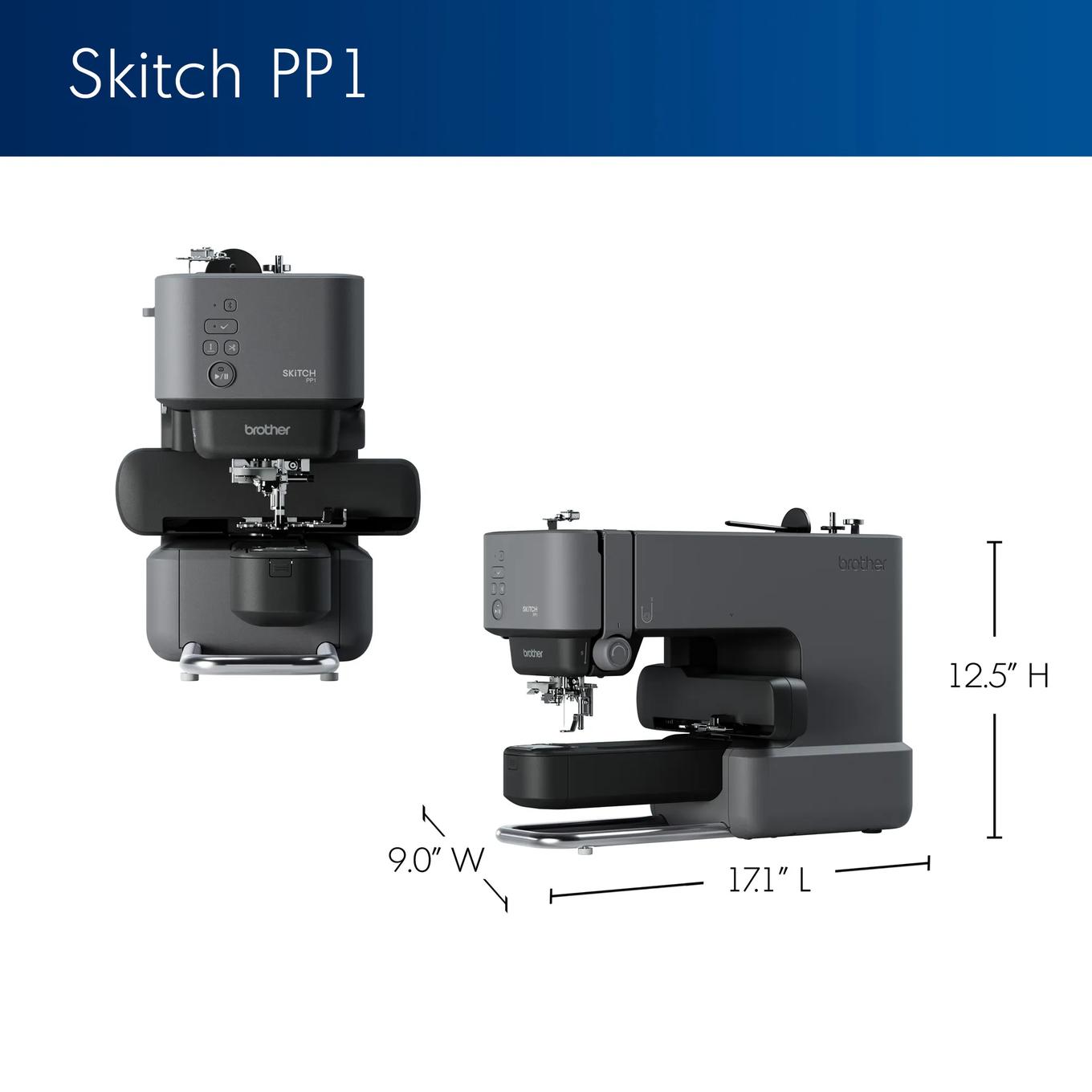
Unit size of 9 x 17 x 12 inches and 16.6 lb, per Brother
Before you order
Six things the listing does not spell out
The Skitch works differently from most embroidery machines. These points come from Brother's page and from owners, so there are no surprises on day one.
- There is no screen on the machine
Brother's page shows only physical buttons, and says Artspira is required to use the machine. You need a phone or tablet nearby.
- Free and paid app are different
Per Brother, Artspira Standard transfers designs to the machine, has a drawing tool and lets you browse projects. Artspira+ adds importing designs, digitizing and cross stitch.
- One owner found the free app limited
A new owner wrote that the free version is super limited, with 1 or 2 fonts and a few patterns. That is one report, so check what the free app offers today.
- 4 x 4 inches is the ceiling
Brother lists 4 x 4 inches as the maximum embroidery area. Think small designs, patches and chest logos.
- It embroiders. It does not sew
Brother sells the Skitch as an embroidery machine. If you want to sew seams or hem pants, you need a separate sewing machine.
- Expect a short learning curve
Thread tension is manual, per Brother. An owner who came from sewing said stabilizer choice and how often you change the needle were new to them.
Owner reports are single reports from a small sample, not how often anything happens.
Built from: Brother Skitch PP1 product page, Reddit, r/Machine_Embroidery: Skitch PP1 advice thread. How we research
Owners, in their own words
What owners say in embroidery communities
Word for word from Reddit embroidery communities. A small sample, not a rating. Each quote links to where it was posted.
“I honestly think the machine is pretty cool.”
“I figured out that its the density of stitches. I was indeed using the stuff on artspira. But i made a pes file on inkstitch and watched tutorials. And now the stitches are tighter looking and feel better.”
“Yeah I have had a few issues, nothing major and re threading is pretty quick. I did have to abandon a project once though as the alignment got messed up”
“The skitch "system" is basically like those pod coffee makers. Very simple to use, but a headache if you wonder too far away from its ecosystem.”
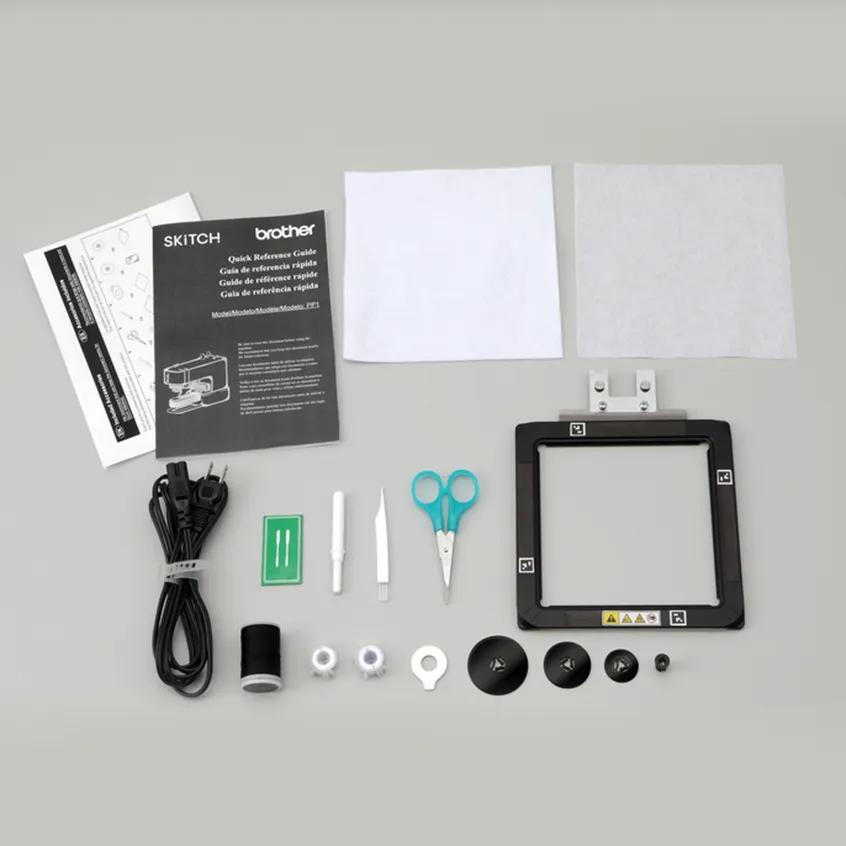
What is included
What arrives in the box
The Skitch comes with a 4 x 4 inch magnetic frame and the basic tools to begin. You add colored thread and a stabilizer that suits your fabric.
- Magnetic frame, 4 x 4 inches Holds your fabric for the full embroidery area
- Embroidery thread, black One color to try your first stitches
- 2 pre-wound bobbins Ready to load for your first run
- Needle set Needles wear out, so spares come in the box
- 4 spool pressers: mini, small, medium, large Fit different spool sizes
- Felt and backing material Material to try a first stitch on
- Scissors, seam ripper, cleaning brush and disc-shaped screwdriver Small tools for setup and upkeep
- Quick Reference Guide and electric cord A guide to keep nearby, and power
Your first month
What owners add around the Skitch
The box has black thread, backing and a few tools. These extras come from Brother's page and from owner posts.
Cutaway stabilizer
An experienced commenter advised cutaway for the back, because tear away can tear in the middle of a stitch.
See optionsMachine embroidery thread in colors
The box has black thread only, and one owner wrote that cheap thread broke.
See optionsSpare embroidery needles
One owner said you replace the needle more often than in sewing.
See optionsPre-wound embroidery bobbins
The box has 2, and spares keep a longer project moving.
See optionsSmall 3 x 3 magnetic hoop
Brother sells one as an accessory for tiny designs. Check the listing says it fits the Skitch.
See optionsBuy without the knot in your stomach
Four checks before you order
Returns
Amazon's return policy applies to the listing. Check the Returns line on the page, and test the machine early while you can still send it back.
Warranty
Brother lists a 1/2/25 year limited warranty, per its product page. Brother's warranty document says what each term covers.
The right listing
Make sure the listing says Brother Skitch PP1. Bundles with thread sets and a PP1BNDL bundle exist, so read what the listing includes.
Check the box
When it arrives, compare the contents with Brother's carton list above. If something is missing, contact the seller or Amazon right away.
Checked on November 11, 2026
Specifications and availability were checked against the manufacturer and Amazon pages on this date. Store prices change by the hour, so the price at checkout is the one that counts. How we research
Still deciding?
Questions people ask before buying
Is the Brother Skitch worth it?
It is worth it if you want a small machine for custom designs on clothes you own and you are happy to run it from an app. It is not the right pick if you want a screen on the machine, designs bigger than 4 x 4 inches, or a machine that sews. Owners in Reddit communities like the simple setup. They also report friction with the app and a learning curve. Those are single reports, not a rating.
Can the Brother Skitch do hats?
Brother's product page does not list a hat hoop. It lists a flat 4 x 4 inch magnetic frame in the box and a 3 x 3 inch magnetic hoop as an accessory. If hats are your main goal, check Brother's accessory list before you buy.
Does the Brother Skitch have a USB port?
Brother's product page does not list a USB port. It says designs move from the Artspira app to the machine over a wireless connection. For other details, Brother's support page for the PP1 has the manual.
Is the Brother Skitch a good embroidery machine for beginners?
It can be, if you are ready to learn a few basics. One owner who came from sewing called the machine pretty cool, and also said stabilizer, needle changes and the app took getting used to. Thread tension is manual, per Brother. Start with the practice felt and backing in the box.
Brother Skitch vs PE545: which one?
Choose the PE545 if you want to run the machine without a phone. It has a 3.7 inch color touchscreen plus built-in designs and fonts. The Skitch is run from the Artspira app instead. Both are 4 x 4 inch machines that only embroider.
Does the Brother Skitch sew?
No. The Skitch is an embroidery machine, and Brother names it that way. If you want to sew seams or hems, you need a separate sewing machine. The Skitch adds custom designs to clothes and fabric you already have.
Do you have to pay for the Artspira app?
Not to start, per Brother, which calls the Artspira mobile app free. Artspira Standard transfers designs to the machine, has a drawing tool and lets you browse projects. Artspira+ adds importing designs, digitizing and cross stitch. One owner said the free version is limited and the paid one is worth it, and that you can pay monthly or yearly. Check the current terms in the app.
Who should not buy the Brother Skitch?
Skip it if you want a screen on the machine, because it is run from a phone or tablet. Skip it if you want designs bigger than 4 x 4 inches, or a machine that also sews. And skip it if you do not want to learn a bit about stabilizer, needles and thread first.
Put your own art on your own clothes
The Brother Skitch PP1 is a small, app-run embroidery machine for custom designs up to 4 x 4 inches. If that sounds like your projects, your next step is the listing on Amazon.
Price and stock change on Amazon, so check the listing for today's details.
Your first 30 days with an embroidery machine
A week-by-week checklist for your first month: what to test, stock and practice while the return window is still open.