Review · Cricut Maker 4
Cricut Maker 4 Review: Is It Worth It? What It Needs, What's New and Who Should Skip It
Is the Cricut Maker 4 worth it? A review built from Cricut's own pages and r/cricut owners: internet needs, what's in the box, the Maker 5 and the Maker 3.
Disclosure: we may earn a commission if you buy through links on this page, at no extra cost to you. As an Amazon Associate we earn from qualifying purchases. It never changes what we recommend.
This article contains affiliate links. If you buy through them, we may earn a commission at no extra cost to you. It does not change what we write, and the limits below are here because they matter to a buyer.
Is the Cricut Maker 4 worth it? Yes, if you want one machine for vinyl, iron-on, cardstock, fabric and thicker materials, you are fine working through the Design Space app on a connected device, and you can plan for extra mats and tools as separate buys. No, if you already own a Maker 3, if you want the lightest and newest Maker, or if you need to work on a computer that cannot reach the internet.
If that sounds like you, the short version is on our Cricut Maker 4 cutting machine page. The rest of this article is the longer, more careful answer.
Here is how we know what we know. This article is built from Cricut’s official Maker 4 product page and its 8 September 2026 Maker 4 vs Maker 5 comparison, both read on November 5, 2026, and from public posts on Reddit’s r/cricut and r/bookbinding. Nobody at CandorPicks has cut with this machine, so we do not describe the cut quality from experience. We quote people who did, word for word, and we link every post. They are a small sample of posts, not a rating.
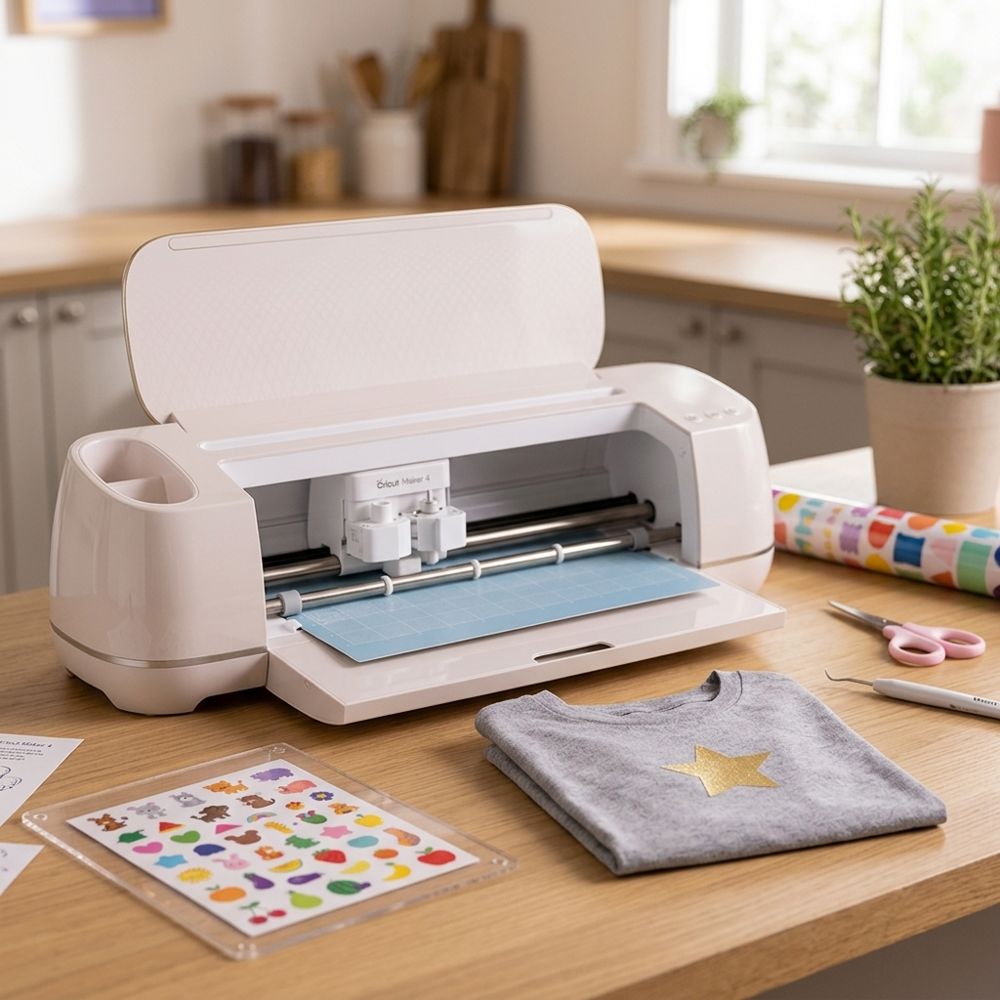
What are the Cricut Maker 4’s main specs?
All of this comes from Cricut’s Maker 4 page, read on November 5, 2026:
- A smart cutting machine that works with 300+ materials and 13 compatible tools. It cuts and writes, and with tools sold separately it also scores, foils, debosses and engraves.
- Cut speed of up to 14.1 ips, and Cricut says it cuts and writes up to 2X faster than the previous model.
- Maximum cut size of 11.5 x 23.5 in on a machine mat, or 11.7 in x 12 ft with Smart Materials.
- Bluetooth wireless, and a Print Then Cut feature that works with most home inkjet printers.
- 22.1 x 7.1 x 6.2 in and 15.4 lb.
- In the box: the machine, a Premium Fine-Point Blade and housing, a 12 x 12 in Light Grip mat, a 0.4 mm fine point pen, a mini weeder and materials for practice cuts.
Does the Cricut Maker 4 need internet?
Yes, for the app. Cricut’s page says you need a compatible device and a high-speed internet connection. The machine itself does not require a subscription, and Design Space is free.
The sharpest discussion we found is an r/cricut thread where a buyer could not get Design Space to work on a company computer. One owner, u/glitterypineapple, wrote: “The cricut doesn’t NEED an internet connection to cut material, it’s only Design Space that insists on connecting to the internet to convert the file to instructions for the tool.” (r/cricut, May 2025). That is one owner’s explanation, not a statement from Cricut. If your computer is locked down, or your home has no steady connection, test that before you buy.
Do you have to pay a monthly fee for Cricut?
No. Cricut says the machine does not require a subscription and Design Space is free for everyone. The free library has 3,000+ images, 100+ fonts and 1,000+ projects, according to Cricut. An optional Cricut Access subscription unlocks the full library. Materials, extra mats and extra tools are separate purchases.
Is the Cricut Maker 4 the same as the Maker 3?
Close, with more speed. Cricut says the Maker 4 cuts and writes up to 2X faster than the previous model. One r/cricut owner, u/trillianinspace, wrote: “The original Maker, Maker 3, and Maker 4 are 98% the same machine.” (r/cricut, February 2026). The same owner added that the 3 and 4 have plastic rollers instead of rubber and are faster and quieter than their predecessors. If you already have a Maker 3, the speed is the main gain, and for many people that is not enough to upgrade.
What’s the difference between the Cricut Maker 4 and the Maker 5?
This is the question the top of the search results does not answer well, and Cricut answered it itself in its 8 September 2026 comparison. The table below is Cricut’s own, read on November 5, 2026:
| Feature | Cricut Maker 4 | Cricut Maker 5 |
|---|---|---|
| Size | 22.1 x 7.1 x 6.2 in | 19.8 x 7.5 x 4.7 in |
| Weight | 15.4 lb | 10.9 lb |
| Materials | 300+ | 300+ |
| Tools | 13 | 13 |
| Max material thickness | 2.4 mm | 3 mm |
| Smart Materials cut width | 11.7 in | 12 in |
| Connectivity | Bluetooth, USB-A | Bluetooth Low Energy, USB-C |
| Pen loading | Traditional | Snap-in |
| Load & Go | No | Yes |
| Print Then Cut | Yes | Yes |
Both cut the same list of materials with the same 13 tools. The Maker 5 is smaller and lighter, loads pens faster and cuts a little thicker. Cricut says the Maker 4 “remains a powerful choice”. Pick the Maker 5 if you carry the machine often, work in a small space or want the extra thickness. Pick the Maker 4 if those changes do not matter to you. Cricut’s store listed the Maker 5 as out of stock when we checked, so check availability for either one.
Is the Cricut Maker 4 worth it for a beginner?
It can be. Cricut says no design experience is required, and the machine works through a free app. The owners we found split on the machine’s strengths and its software. One r/bookbinding reply from u/Competitive_Acadia48 recommended a different brand: “The 4 is great but the 5 is probably a better purchase.” (r/bookbinding, November 2025). That owner meant a Silhouette Cameo, not the Cricut Maker 5, so read it as a vote for a competitor. We have not compared the two, so we cannot say which is better for you.
If you want a first machine for vinyl and stickers, check whether you also need materials, extra mats and a heat press for iron-on, because the box is a starter set.
What can the Cricut Maker 4 cut, and what can’t it?
Cricut lists 300+ materials, including vinyl, iron-on, cardstock, fabric, leather, basswood and chipboard, and its comparison lists 2.4 mm as the maximum material thickness. A few limits show up in owner posts. One r/cricut owner, u/Fortress2021, wrote: “The Knife Blade is not compatible with the app.” (r/cricut, May 2025). That is one owner’s answer about cutting thick material from a phone, so check your project’s needs against Cricut’s tool list before you plan it.
Cricut also notes on its page that the Maker 4 is not intended for use by children 12 years and younger.
Where should you buy it, and what should you check?
Cricut sells the Maker 4 on its own site and through retailers, and some listings are bundles with a heat press, vinyl or extra tools. Look for the machine-only listing if you want to compare it with a bundle. Cricut’s page links its Limited Warranty terms at cricut.com/warranty, and we have not summarized the term, so read it before you buy. The listing to check is here:
Check the Cricut Maker 4 on Amazon
Who should skip the Cricut Maker 4?
- You already own a Maker 3 and mainly want the same projects.
- You want the lightest machine with USB-C and the thicker 3 mm limit. Look at the Maker 5.
- You cannot reach Design Space from your computer or phone.
- You want everything in the box. Mats, tools and materials beyond the starter set are separate buys.
- You cannot confirm the listing is the Maker 4 and not a bundle or a different model.
So, is the Cricut Maker 4 worth it?
For a crafter who wants one machine for decals, iron-on shirts, cards and stickers, it looks like a strong fit on paper, and the owners we quote say the machine itself is good. The real catches are the need for a connected device, the starter-only box, how close it is to the Maker 3 and the newer Maker 5.
If those do not bother you, the Cricut Maker 4 cutting machine page has the short version and the checklist. Price and stock change on Amazon, so check the listing for what is current.
Your options
Ready to check it?
Affiliate links. We may earn a commission at no extra cost to you.
Last checked: 2026-11-05. Specifications and availability checked against the manufacturer and retailer pages on this date. Prices change often, so the retailer page always wins.