
Review · Brother SE700
Brother SE700 Review: Is It Worth It? What Owners Say
Is the Brother SE700 worth it? We read 190 owner reviews. See what beginners love, what goes wrong and who should pick a bigger hoop instead.
Disclosure: we may earn a commission if you buy through links on this page, at no extra cost to you. As an Amazon Associate we earn from qualifying purchases. It never changes what we recommend.
This article contains affiliate links. If you buy through them, we may earn a commission at no extra cost to you. It does not change what we write, and the complaints below are here because owners made them.
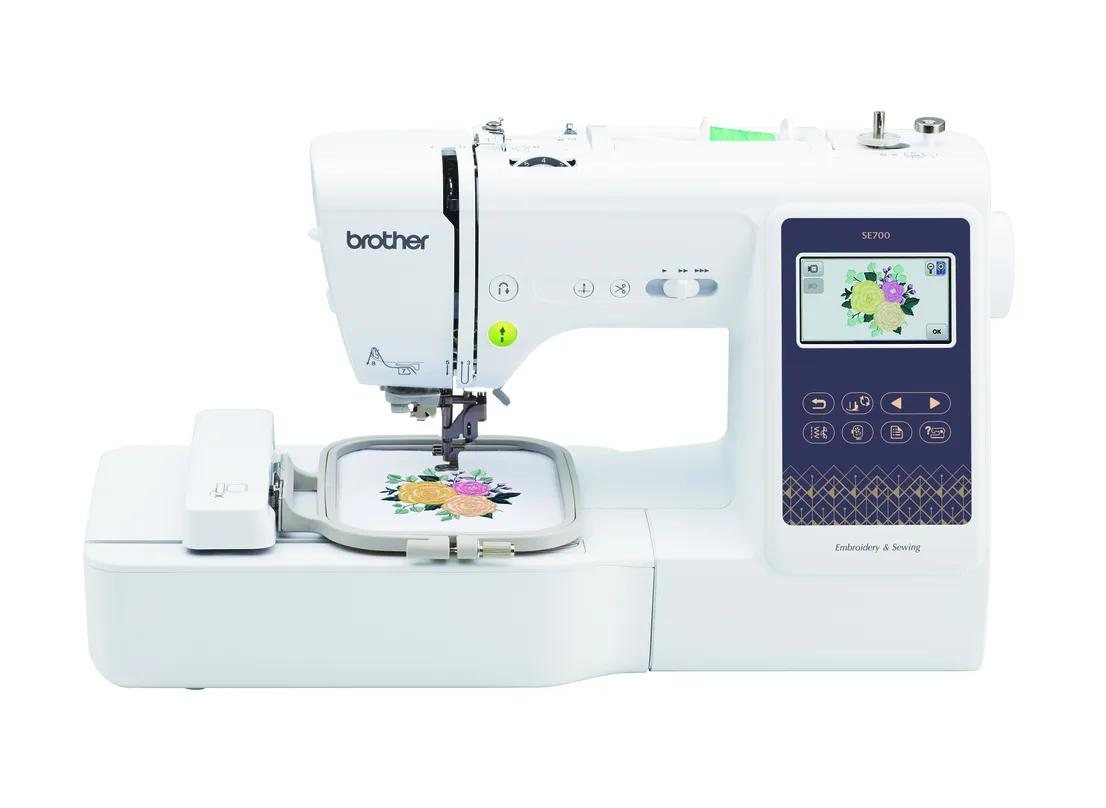
Is the Brother SE700 worth it? Yes, if your projects fit in its 4 x 4 inch hoop. Owners describe a friendly first machine that sews and embroiders. If your projects are bigger than the hoop, the same owners describe a regret.
This Brother SE700 review comes from what buyers wrote, not from a bench test. We read their reviews, counted the complaints and checked the specs against Brother’s page. Want the short version first? It is on our Brother SE700 sewing and embroidery machine page.
Key takeaways
- The SE700 is a good fit for monograms, patches, baby clothes and tea towels.
- Thread and tension trouble is the top complaint after machines that stopped or froze.
- A 4x4 hoop is too small for bath towels, jacket backs and selling in volume.
- Buy from a seller with an easy return window and test it in the first days.
What did we read for this Brother SE700 review?
The SE700 has 1,056 reviews on Amazon with a 4.5 star average (checked October 27, 2026). We read 100 five-star reviews and 90 reviews of one to three stars, sorted by how helpful readers found them. We also read 59 posts and 60 comments in the r/MachineEmbroidery community.
The counts below are our own tally of that sample, and one review can fall under more than one theme. They show what comes up often. They are not a defect rate for the whole product.
What does the Brother SE700 do?
Per Brother’s product page, the SE700 sews and embroiders. These are the numbers that matter:
- Maximum embroidery area: 4 x 4 inches (100 x 100 mm).
- 135 built-in embroidery designs and 10 embroidery fonts.
- 103 sewing stitches and 10 buttonhole styles.
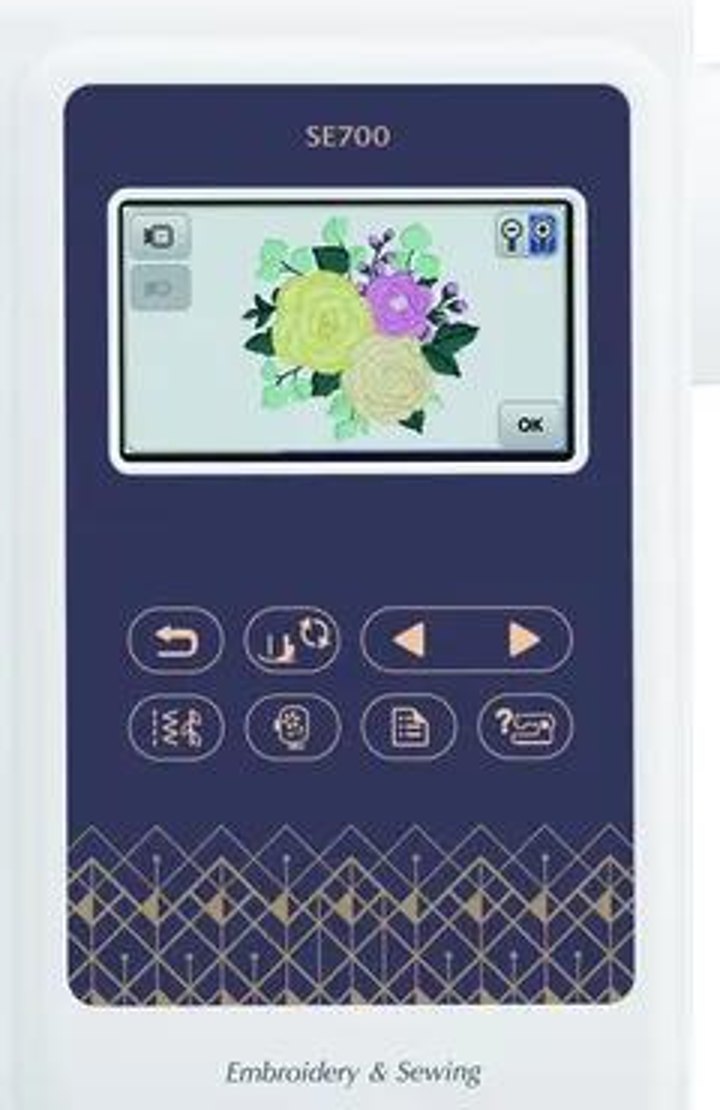
- An LCD screen, 3.2 x 1.8 inches, with on-screen guidance.
- Wireless LAN, the Artspira app, and a free Design Database Transfer that needs no USB.
- Eight presser feet in the box, including the embroidery foot, plus the 4x4 hoop.
Brother’s separate PE-Design 11 software is paid and not included.
What do owners love about the SE700?
It is approachable. Amazon’s summary of the reviews says customers find it excellent for beginners and appreciate its ease of use. Owners say the same in their own words. One wrote: “There is literally directions all over this machine to show you what to do. You can even view built in directions on the touch screen.” (review, June 2025). Another gave five stars and wrote: “a lot of reviews scared me but i am so glad i got this!! its perfect for a first timer & for a hobbiest!!” (review, February 2026).
It does two jobs. Several buyers had no embroidery experience and wanted one machine for both. One wrote that they got it to make doll clothes and that it was their first sewing machine ever (review, January 2026). Another bought it to save money on embroidered napkins for a wedding and now has “a new favorite hobby” (review, July 2026).
The built-in library is enough to start. With 135 designs and 10 fonts, you can stitch real projects before you spend anything on software. One owner told newer buyers not to let people convince them they need a paid program like Embrilliance “just yet” (review, July 2026).
One more reviewer wrote that the machine “has changed my life” and turned into a side business. They also said setup and learning were easy even though they are not tech savvy (review, November 2025).
What do owners complain about?
Here is the tally from the 90 critical reviews.
| Complaint | Reviews (of 90) |
|---|---|
| Stopped, froze, arrived defective or was returned | 26 |
| Thread, tension or bobbin trouble (“bird nest”) | 21 |
| Wi-Fi or Artspira app setup confusing | 14 |
| Support or warranty experience | 13 |
| Needle breaks | 13 |
| Manual or instructions confusing | 10 |
| Not worth the price | 8 |
| 4x4 hoop too small | 4 |
Thread and tension. This theme also fills the help threads in r/MachineEmbroidery, where people describe a “huge bird nest” of thread under the fabric. Amazon reviews put it more bluntly: “Thread gets stuck and bound up easily in the machine. I have destroyed several items of clothing due to this issue” (review, November 2025). Another could not get through a single letter because “the thread wading up or the upper thread coming undone” (review, September 2025). The community’s usual first checks are the stabilizer, 40 wt embroidery thread on top and 60 wt thread in the bobbin. That is community advice, not a Brother instruction, and it will not fix every machine.
Reliability. The biggest group is machines that stopped, froze or arrived in bad shape. Three of them, reviewers say, arrived broken or used. One wrote: “in 10min it froze up and I could not use it” (review, May 2026). With 26 of 90, this is the biggest block, and it is a reason to buy from a seller with an easy return window and to test the machine soon after it arrives.
Needles. One owner who sews about eight hours a day as a quilter wrote that it “has broken more needles than any machine I have ever owned” (review, July 2025). Amazon’s summary also says needles frequently break.
The app and Wi-Fi. One reviewer found it “very confusing” to set up the Wi-Fi, and then the Artspira app has to be connected as well (review, November 2025). If wireless transfer is your reason to buy, plan some patience.
Is a 4x4 hoop big enough for the SE700?
Brother lists 4 x 4 inches as the maximum embroidery area. A Reddit commenter said the usable design size inside that hoop is a little smaller, at 3.93 x 3.93 inches. That figure comes from a user, not from Brother, so treat it as a rule of thumb and check the manual.
Only 4 of the 90 critical reviews mention the hoop. The better evidence is in the five-star reviews:
- “The small embroidery window(4x4) has not been an issue yet.” (review, February 2026)
- “The only regret I have is not buying one with a bigger design space.” (review, March 2026)
- “I did move up to the bigger unit for bath towels.” (review, April 2026)
A 4x4 hoop handles monograms, patches, baby clothes and tea towels. A design bigger than the hoop has to be split and re-hooped. Bath towels, jacket backs and embroidery to sell are 5x7 jobs.
The community’s advice is steady: “If you think at all you want to make larger designs, then go larger if you can.” On selling, one commenter was direct: “You will not really be able to run a business on the se700 it is a 4x4 hoop.” We go deeper in our guide to choosing a first embroidery machine.
Do you need to buy software for the SE700?
You can start without buying software, because the designs and fonts are built in. The gap shows up when you want your own artwork. The machine reads .PES files, and Brother’s PE-Design 11 is paid. Ink/Stitch is the free digitizing option the community mentions.
Artspira is where some buyers got caught. Brother lists the app as free, and sending a design wirelessly to a Brother machine with WLAN is part of the free plan. The paid plan is Artspira+. Brother says it adds auto digitizing, photo and portrait conversion to embroidery, and storage for up to 100 designs.
Brother US support lists the annual plan at US$119.99 a year (since January 22, 2024), with 30 days free when you subscribe. The plan comparison page shows what each tier includes. The SE700 page mentions the app, not the plan, so check Brother’s current plan comparison before you count on photo-to-stitch. Four of the critical reviews mention paying for the app. One wrote: “you need to pay MONTHLY to use the app?” (review, January 2025).
Mac and iPhone users should check too. Two reviews raise it, one in capital letters: “DOES NOT WORK WITH MAC […] to use advanced features, you need Windows.” (review, February 2025). Reviews describe the complete wireless workflow as Windows and Android.
Two smaller limits from r/MachineEmbroidery commenters: the SE700 does not cut the thread automatically between colors, and you cannot adjust the embroidery speed.
Who is the Brother SE700 for?
- You want to learn embroidery and keep your sewing in the same machine.
- Your projects are small: monograms, patches, baby clothes, tea towels, napkins.
- You are comfortable spending a few sessions learning thread and tension, and happy to start with built-in designs.
Who should skip the SE700?
- You already know you want bath towels, large badges or jacket backs.
- You plan to sell embroidery in volume.
- You work mostly on a Mac or iPhone and need the app workflow, or you want automatic thread cutting.
What should you buy instead?
For bigger designs or selling, with a sewing machine you already own, the community’s usual answer is the Brother PE900. It is embroidery only, with a 5x7 hoop. If you like the SE700 but already know 4x4 will be too small, look at the Brother SE2000, a 5x7 combo with automatic cutting. We compare all three in Brother SE700 vs PE900 vs SE2000.
Our verdict: is the Brother SE700 worth it?
It is worth it for a specific buyer: someone starting out, with small projects, who wants one machine that sews and embroiders and accepts a learning curve with thread. The reviews also show the other side: if you outgrow the hoop, you will feel it.
Our advice: decide on hoop size first, buy from a seller with an easy return policy, and test the machine in the first days. You can see today’s price and availability on Amazon or at Brother. For the shorter version with the limits laid out, see the Brother SE700 embroidery machine page.
Frequently asked questions
Is the Brother SE700 good for beginners?
Mostly yes. Amazon’s own review summary says customers find it excellent for beginners, and the LCD screen shows directions. Expect a learning period with thread, though: 21 of the 90 critical reviews are about it.
Do I have to pay for software to use the SE700?
No, you can start with the 135 built-in designs and 10 fonts. The free Artspira app sends designs wirelessly. Photo-to-stitch is part of the paid Artspira+ plan.
Does the Brother SE700 cut thread automatically?
No, according to commenters in r/MachineEmbroidery. The SE2000 is the model in our comparison that is listed with automatic cutting.
Last checked: 2026-10-27. Specifications and availability checked against the manufacturer and retailer pages on this date. Prices change often, so the retailer page always wins.