Brother PE545 4x4 embroidery-only machine
Embroider names and gifts at home, without paying for sewing
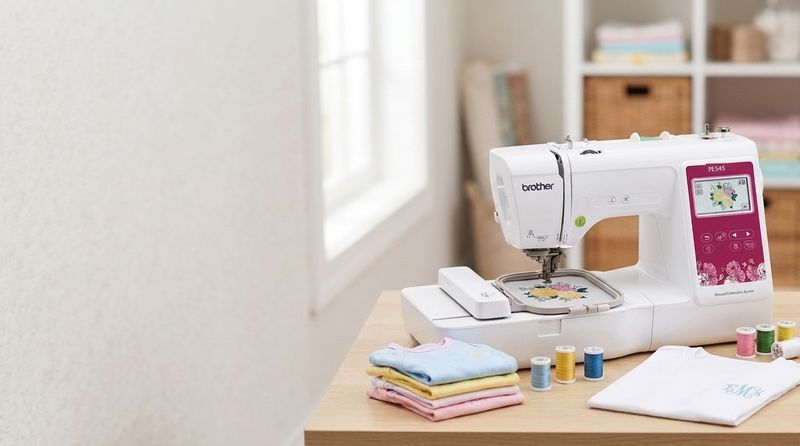
The Brother PE545 only embroiders, so you pay for the one job you want done. It is for stitchers who already sew on another machine, or who just want to start with monograms, patches and baby clothes.
- 135 designs and 10 fonts already built in
- Send designs wirelessly, no USB stick needed
- Move your design by touch on a color screen

Sound familiar?
You want to personalize, not sew twice
You picture a name on a shirt, a patch on a jacket, a small gift for someone you love. You may already own a sewing machine you like, or you will never sew at all. So paying for a combo machine feels like paying twice. And a small voice asks if you can even learn this on your own, and whether a small hoop will be enough.
“i have a brother PE545 and so far it's been mostly great, i obviously want to make bigger designs though as this machine is 4x4.”
- What it costs to leave it unsolved
- The personalized gift stays an idea because the machine seems too complicated.
- You pay for sewing features you will never use.
- You buy a hoop size before knowing what you will actually stitch.
The way out
Embroidery only, ready to stitch
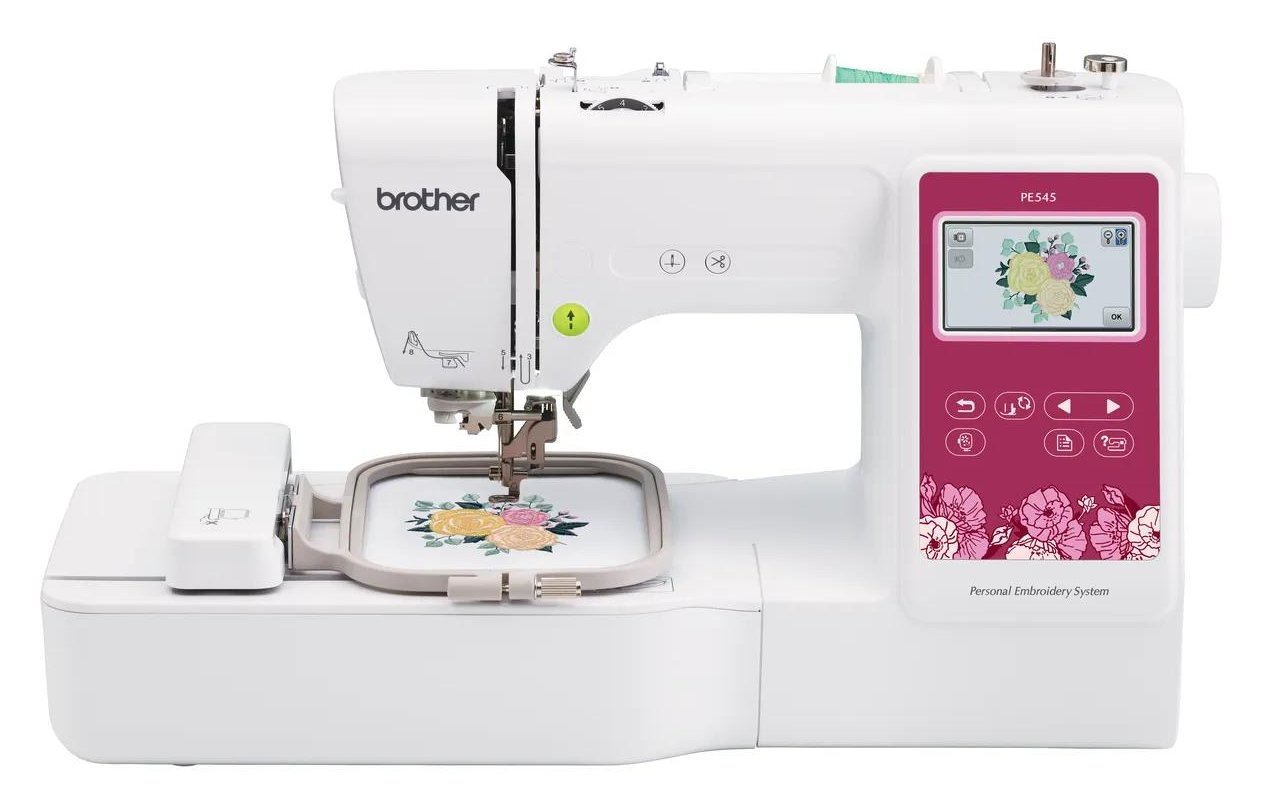
The PE545 does one job: it embroiders. Designs and fonts are already inside, so you can start without extra software. A color touchscreen lets you move the design by touch, and Wireless LAN sends files from your computer. It is a 4 x 4 machine, so the FAQ says plainly who needs a bigger hoop or a machine that also sews.
135 built-in designs, 10 fonts, wireless transfer and a touchscreen, in a machine that only embroiders.
-
 AI illustration
Pick or send a design
Choose from 135 built-in designs and 10 fonts, or send a file from your computer over Wireless LAN with Design Database Transfer, free to download per Brother.
-
Hoop and position
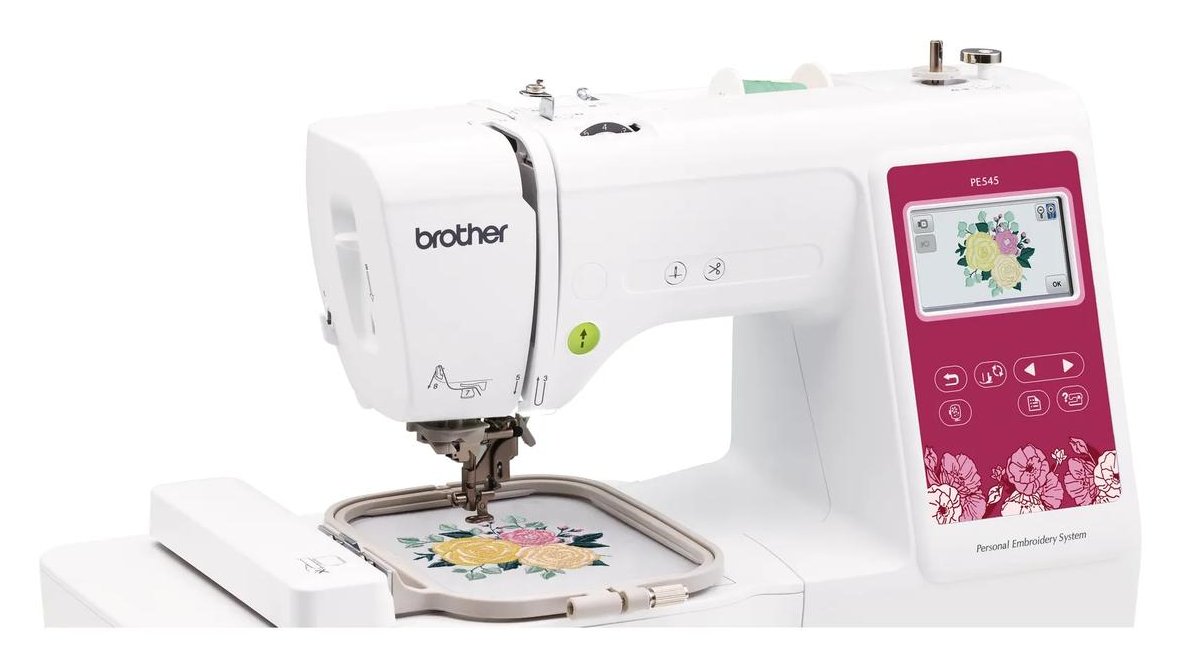
Put stabilizer under the fabric in the 4 x 4 hoop from the box. Then drag the design into place on the 3.7 inch color touchscreen.
-
Stitch and finish
The Advanced needle threader helps you start, and the machine stitches up to 400 stitches per minute. An automatic thread cutter trims the thread.
The PE545, up close
Official Brother photos. Tap any image to enlarge.
What you actually get
What the PE545 does for your projects
Each benefit is tied to a spec from Brother's product page.
Monograms and patches in one hooping
4 x 4 inch maximum embroidery area, with the 4 x 4 hoop in the box
Start stitching with designs already inside
135 built-in designs: 75 motifs plus 60 alphabets and frames
Add a name without extra software
10 built-in lettering fonts
Place your design by touch
3.7 inch color touchscreen with drag and drop positioning
Send designs without a flash drive
Wireless LAN, Design Database Transfer and the Artspira app
Less fiddling to start a run
Advanced needle threader and an automatic thread cutter
Myth vs fact
Four PE545 assumptions to check first
Small embroidery machines come with a few easy mistakes. These four come from Brother's page and owner posts.
- Wireless means every design is free
Brother says Design Database Transfer is a free download. Its page does not say Artspira patterns are free, so check the terms inside the app before you count on that.
- A built-in pattern means no learning curve
One new owner stitched a pre-installed pattern as a first try, then wrote that hooping was an interesting experience. Beginner help posts also mention tension and thread nests, so plan for practice.
- Matching specs means the same machine
A Reddit user comparing spec sheets found the PE545 and the PE570 identical. We cannot confirm that, so compare Brother's spec lists and what each listing includes.
- Any logo image will stitch cleanly
One owner's logo came out sloppy because the image was low quality. Your own artwork has to be digitized properly, and owners name Ink/Stitch (free) and Embrilliance (paid).
These are single reports from a small sample, not how often anything happens.
Built from: Brother PE545 product page, Reddit, r/Machine_Embroidery: first try with a pre-installed pattern, Reddit, r/Machine_Embroidery: PE545 vs PE570, Reddit, r/Machine_Embroidery: logo came out sloppy. How we research
Owners, in their own words
What owners say in embroidery communities
Word for word from r/Machine_Embroidery. A small sample, not a rating. Each quote links to where it was posted.
“i have a brother PE545 and so far it's been mostly great, i obviously want to make bigger designs though as this machine is 4x4.”
“I just got a Brother PE545 and this my first attempt using a pre installed pattern.”
“wonderful first timer. I like it..your machine can do fine details.”
“I find the aspira app to be cool, thought I can only do so much.”
What is included
What arrives in the box
The PE545 arrives with its 4 x 4 hoop and the small tools you need to start. Designs and fonts are already built in. You still add stabilizer and embroidery thread.
- Medium embroidery hoop (4 x 4 inch) The hoop that fits the maximum area
- Embroidery foot Q The presser foot made for embroidery
- Needle set Needles wear out, so spares are welcome
- Bobbins, pre-wound embroidery bobbins and bobbin clip Ready for your first run
- Seam ripper, scissors, cleaning brush and 2 screwdrivers The small tools for setup and upkeep
- Spool caps, spool net and mini king spool adapter Help with different thread spools
- Accessory pouch and dust cover Keeps the small parts and the machine tidy
- Operation manual, quick guide and design guide Guides to keep beside the machine
Your first month
Your first-month kit for the PE545
The box has the 4 x 4 hoop, bobbins and tools, and these are the extras Brother's page and PE545 owners mention.
Embroidery stabilizer
It goes under the fabric in the 4 x 4 hoop, and none comes in the box.
See optionsMachine embroidery thread
No top thread is in the box, and one owner who used hand embroidery floss broke four needles.
See optionsRepositionable embroidery hoop
One PE545 owner bought them to stitch designs bigger than 4 x 4, so check the fit for your machine first.
See optionsEmbroidery design software
You only need it to make your own designs, and owners mention a free option and a paid one.
See optionsBuy without the knot in your stomach
Four checks before you order
Returns
Amazon's return policy applies to the listing. Check the Returns line on the page for the window, and try the machine early while you can still send it back.
Warranty
Brother lists a 1/2/25 year limited warranty, per Brother's product page; Brother's warranty document lists what each term covers.
The right listing
Make sure the listing says Brother PE545, embroidery only, 4 x 4. A similar-looking PE570 exists, so compare the spec lists before you buy.
Check the box
On arrival, check the box against Brother's list and the list above: the 4 x 4 hoop, bobbins, tools, manuals and dust cover. If anything is missing, contact the seller or Amazon right away.
Checked on November 1, 2026
Specifications and availability were checked against the manufacturer and Amazon pages on this date. Store prices change by the hour, so the price at checkout is the one that counts. How we research
Still deciding?
Questions people ask before buying
Does the Brother PE545 sew?
No. The PE545 is an embroidery-only machine. If you want one machine that also sews with the same 4 x 4 area, look at the Brother SE700. If you already own a sewing machine you like, the PE545 is the simpler fit.
Is 4 x 4 inches enough?
It fits monograms, left chest logos, patches and baby clothes. It does not fit big designs on one hooping. One owner wrote that they want to make bigger designs on this 4x4 machine. If that is you, look at the Brother PE900, which has a 5 x 7 area.
Who should not buy the Brother PE545?
Skip it if you want to sew too: the SE700 fits better. Skip it if you want designs bigger than 4 x 4 without re-hooping: the PE900 fits better. And skip it for hats, jacket backs or volume work.
Is it hard to learn on?
Owners say a built-in pattern makes a fine first project. Many beginner help posts are about thread tension and hooping, so expect some practice at the start. Use machine embroidery thread, not hand embroidery floss, which one user said broke needles. That is a sample of posts, not a defect rate.
Do I need to buy software?
Not to start. The machine has 135 built-in designs and 10 fonts. Design Database Transfer, which sends files from your computer, is free to download per Brother. Making your own designs needs digitizing software. Owners often mention the free Ink/Stitch and the paid Embrilliance.
Can I send designs without a USB stick?
Yes. The PE545 has Wireless LAN, so you can send files from your computer. The Artspira app lets you download or draw patterns on your phone, up to 4 x 4, and send them to the machine. It also accepts designs by USB if you prefer.
What if I need service?
Brother lists a 1/2/25 year limited warranty on its product page, and its warranty document lists what each term covers. One owner reported a 3 to 4 week turnaround when a part broke, so that is one experience to keep in mind. Check the terms before you order.
Can it do small letters and thick fabric?
Be realistic. Owners report that very small lettering can look weak, and that thick layered fabric such as a double knee can cause problems. Test on a scrap first. The PE545 works best on flat items like shirts, patches, towels and baby clothes.
Personalize small projects, without paying for sewing
The Brother PE545 gives you 135 designs, 10 fonts and wireless transfer in an embroidery-only machine. If your projects fit a 4 x 4 hoop, your next step is the listing on Amazon.
Price and stock change on Amazon, so check the listing for today's details.
Your first 30 days with an embroidery machine
A week-by-week checklist for your first month: what to test, stock and practice while the return window is still open.